Best Mechanical Keyboards 2026
If you spend any real amount of time at a keyboard — writing, coding, gaming, or just getting through the workday — the keyboard you use has a massive impact on how that experience feels. A great mechanical keyboard doesn't just work better; it makes typing genuinely satisfying.
What Is a Mechanical Keyboard?
A mechanical keyboard uses individual mechanical switches beneath every key. Each switch contains a spring, a stem, and a housing — when you press a key, the spring compresses until it hits a precise actuation point that registers the keystroke. This is fundamentally different from membrane keyboards, which use a sheet of rubber that flexes to complete a circuit.
Mechanical switches come in three main types: linear (smooth from top to bottom), tactile (a subtle bump at actuation), and clicky (a bump plus an audible click). For a deeper dive, see our Membrane vs Mechanical comparison.
Why Choose a Mechanical Keyboard?
1 Clear, Satisfying Keystroke Feedback
Every keypress gives you immediate, unmistakable confirmation that your input registered. This feedback makes you a more accurate typist because your fingers always know exactly when a key has fired.
2 A More Comfortable, Sustainable Typing Experience
Mechanical switches actuate partway through the keystroke — you don't have to bottom out to register a press. Over an 8-hour workday, this means less finger fatigue and more comfortable typing sessions.
3 Consistent Quality That Lasts for Years
A good switch is rated for 50 to 100 million keystrokes, and the feel stays the same over time. Membrane keyboards degrade — mechanical boards maintain their character year after year.
Quick Comparison Table
| Keyboard | Switches | Layout | Connectivity | Polling Rate | Weight | Best For |
|---|---|---|---|---|---|---|
| Logitech MX Mechanical | Low-profile Tactile Quiet | Full-size | BT + Bolt | ~133 Hz | 828 g | Productivity |
| SteelSeries Apex 5 | Hybrid Mechanical | Full-size | Wired USB | 1000 Hz | 789 g | Mid-range Gaming |
| Corsair K70 CORE | Pre-lubed MLX Red (Linear) | Full-size | Wired USB | 1000 Hz | ~1090 g | Budget Gaming |
| ASUS ROG Strix Scope II | ROG NX (Linear/Tactile) | Full-size | BT + 2.4G + USB | 1000 Hz | ~1050 g | Wireless Gaming |
| Corsair K100 RGB | OPX Optical-Mech | Full-size | Wired USB | 4000 Hz | ~1320 g | Flagship Gaming |
| Corsair Vanguard PRO 96 | Magnetic Hall Effect | 96% | BT + 2.4G + USB | 8000 Hz | ~980 g | Competitive FPS |
| SteelSeries Apex Pro Mini Gen 3 | OmniPoint 3.0 (Adjustable) | 60% | BT + 2.4G + USB | 4000 Hz | ~600 g | Competitive FPS |
| Logitech G413 SE | Tactile Mechanical | Full-size | Wired USB | 1000 Hz | ~810 g | Budget Entry |
| Lemokey P1 HE | Hall Effect (Adjustable) | 75% | BT + 2.4G + USB | 1000 Hz | ~890 g | Value Hall Effect |
| Keychron K6 | Gateron (Hot-swap) | 65% | BT + USB | 1000 Hz | ~590 g | Compact Wireless |
Our Top 10 Picks
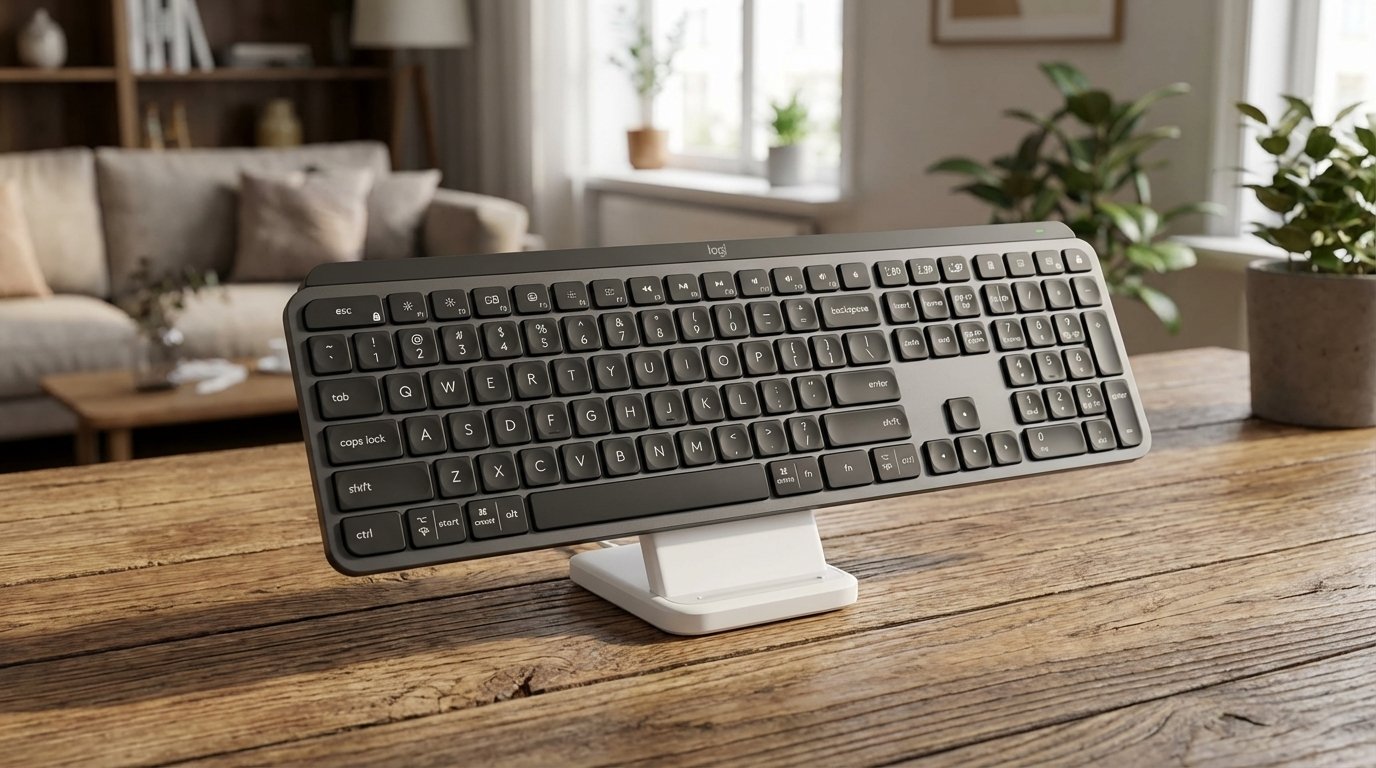
1. Logitech MX Mechanical
The Logitech MX Mechanical brings genuine mechanical switches to Logitech's acclaimed MX lineup — the same family trusted by developers, writers, and creative professionals worldwide. It's the keyboard for people who want the responsiveness of a mechanical board without the gamer aesthetic.
The MX Mechanical uses low-profile Tactile Quiet switches that deliver a subtle but satisfying bump on every keystroke, without the noise that would get you side-eyed in a shared office. The shorter key travel makes it feel familiar if you're coming from a laptop or the MX Keys, but with noticeably more precision and feedback.
Where this keyboard really shines is multi-device workflow. It connects via Bluetooth or the included Logi Bolt receiver, and you can pair up to three devices and switch between them with dedicated Easy-Switch keys. Working on your PC, need to reply to a message on your tablet, then jump to your laptop? One button press each time. It works seamlessly across Windows, macOS, Linux, iOS, and Android.
The smart backlighting adjusts automatically based on ambient light and turns on the moment your hands approach the keyboard, thanks to built-in proximity sensors. Battery life is excellent — Logitech rates it at up to 15 days with backlighting on, or up to 10 months with it off. It charges via USB-C.
The build quality is premium: a low-carbon aluminum top plate gives it a solid, refined feel without being heavy. The two-tone graphite keycap design looks clean and professional on any desk. And with Logi Options+ software, you can customize key assignments, create app-specific shortcuts for Photoshop, Final Cut Pro, VS Code, and more.
📊 What the benchmarks say: Independent testing from Reviewed.com measured the MX Mechanical's wireless input latency at approximately 13–16ms over Bluetooth — perfectly responsive for productivity and casual gaming, but not competitive-grade. The Logi Bolt receiver provides a more stable connection in crowded wireless environments. At 828g, it's a mid-weight board that feels planted on the desk without being immovable. Battery performance in real-world mixed use (office work + occasional gaming) averages around 8–9 days with backlighting enabled.
What We Like
- Quiet, satisfying tactile switches
- Seamless 3-device switching
- Works on every major OS
- Smart backlighting with proximity sensor
- Premium aluminum build quality
- Excellent Logi Options+ software
- Outstanding battery life
What Could Be Better
- Not hot-swappable (can't change switches)
- ABS keycaps (not PBT)
- Premium price point (~$150–170)
- No included wrist rest
Who it's for: The MX Mechanical is ideal for professionals, writers, developers, and anyone who spends their day switching between devices and wants a keyboard that feels great, looks clean, and just works — no tweaking or modding required.
Check Price on Amazon →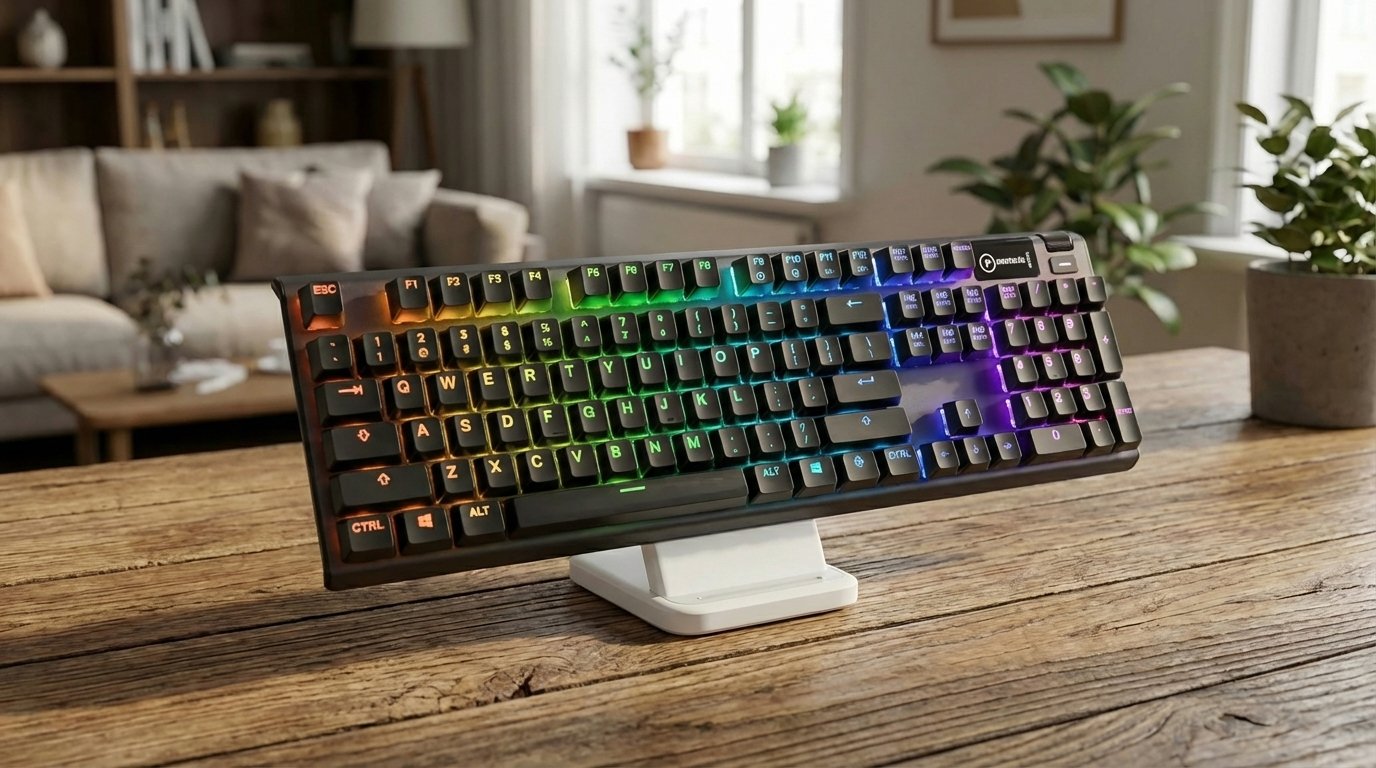
2. SteelSeries Apex 5
The Apex 5 is SteelSeries' clever middle ground between a full mechanical and a membrane board. Its Hybrid Blue switches combine a mechanical spring for that satisfying clicky, tactile feel with a membrane actuation layer underneath. The result is a keystroke that feels remarkably close to a true blue mechanical switch — snappy and responsive — but at a significantly lower price point.
The typing experience is genuinely enjoyable. Keys actuate at 2mm with a total travel of 4mm, providing responsive and consistent feedback. The sound is moderate — not as sharp as a Cherry MX Blue, but with enough audible click to be satisfying without being obnoxious. For a hybrid switch, this is as good as it gets.
Build quality is a standout at this price. The aircraft-grade aluminum alloy frame feels indestructible, and the floating key design lets the per-key RGB illumination shine beautifully from every angle. SteelSeries Engine software gives you full control over lighting effects, key remapping, and macros with per-game profiles.
The OLED Smart Display in the top right corner is a unique feature usually reserved for keyboards costing twice as much. You can display Discord messages, Spotify track info, in-game stats, or custom GIFs — all without alt-tabbing. The included magnetic wrist rest provides comfortable palm support for long sessions.
The main trade-off is durability: hybrid switches are rated for 20 million keystrokes — solid for the price, but less than a pure mechanical board. If you want premium features without the premium price, the Apex 5 delivers impressive value.
📊 What the benchmarks say: The 1000Hz wired polling rate ensures responsive input for gaming. The aircraft-grade aluminum frame contributes to its solid 789g weight. The integrated OLED smart display is a standout feature at this price point — most competing boards don't offer anything comparable. Hybrid switches are rated for 20 million keystrokes, which translates to several years of heavy daily use.
What We Like
- Excellent tactile feel for a hybrid switch
- OLED display — rare at this price
- Aircraft-grade aluminum frame
- Per-key RGB with deep software control
- Magnetic wrist rest included
- Great value for the features offered
What Could Be Better
- 20M keystrokes (less than pure mechanical)
- Hybrid switches — not true mechanical
- ABS keycaps
- OLED screen can be hard to see past numpad
Who it's for: Gamers and everyday users who want the look, feel, and features of a premium mechanical keyboard without breaking the bank. A great first "mechanical-style" board.
Check Price on Amazon →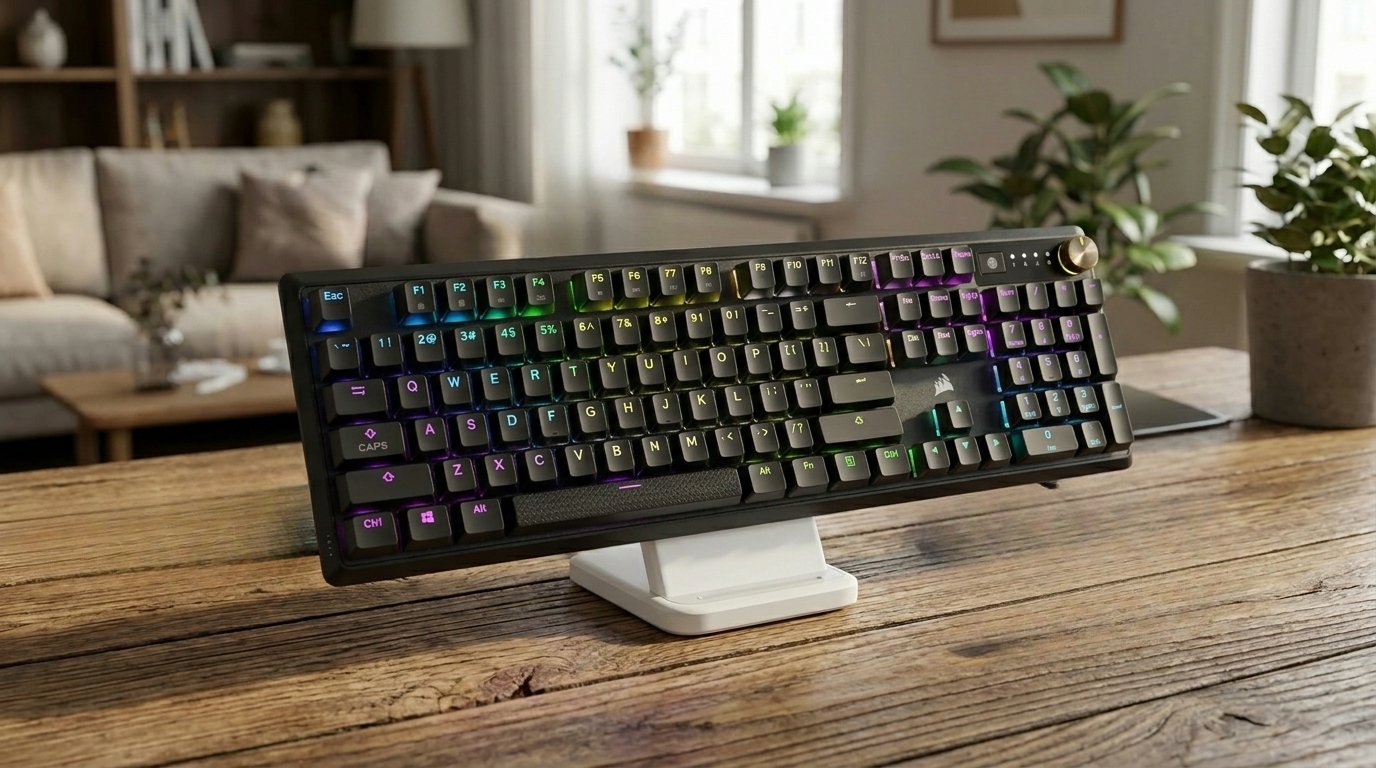
3. Corsair K70 CORE RGB
The K70 CORE is proof that Corsair has been listening to what the keyboard community actually wants. Instead of chasing exotic features, they focused on nailing the fundamentals: great switches, great sound, and great build — all for under $100.
Corsair's self-branded MLX Red linear switches are the star here. They come pre-lubricated from the factory, resulting in a buttery smooth keystroke that feels like a much more expensive board. The 45g actuation force is light enough for rapid gaming inputs but substantial enough for comfortable all-day typing. At 1.9mm actuation distance, they're slightly faster than standard Cherry Reds.
What really sets the K70 CORE apart from other $100 keyboards is the sound. Two layers of EVA sound-dampening foam inside the case transform the typical hollow "ping" of a gaming keyboard into a deep, satisfying "thock." It sounds significantly better than keyboards costing twice as much, straight out of the box.
The customizable rotary dial is another highlight — it controls volume by default, but you can switch it to adjust RGB brightness, horizontal or vertical scrolling, and page zoom. The aluminum top plate gives it a sturdy, premium feel, and Corsair's iCUE software provides one of the most robust RGB and macro customization experiences available.
The main compromises? No hot-swap, a fixed USB-C cable (not detachable), and ABS keycaps in the standard version. But for $100, the typing and gaming experience is genuinely hard to beat.
📊 What the benchmarks say: Tom's Hardware praised the pre-lubed Corsair Reds as "by far the smoothest switches I've ever used in a prebuilt, stock mainstream gaming keyboard." The 1000Hz polling rate and wired connection deliver responsive input with no perceptible delay. KitGuru rated it 8.5/10, noting the switches, stabilizers, and keycaps deliver a typing experience that rivals keyboards at twice the price. The 45g actuation force and 1.9mm actuation distance keep the board fast for competitive play. At approximately 1090g with the wrist rest, it's stable on the desk.
What We Like
- Pre-lubed switches feel incredible for the price
- Dual-layer foam — sounds amazing out of the box
- Versatile customizable dial
- Aluminum top plate build quality
- Excellent iCUE software ecosystem
- 70M keystroke rating
What Could Be Better
- Not hot-swappable
- Fixed USB-C cable (not detachable)
- ABS keycaps (PBT upgrade available)
- No dedicated media keys
Who it's for: Anyone who wants a genuinely great full-size keyboard for gaming and work without spending over $100. One of the best values in the mechanical keyboard market right now.
Check Price on Amazon →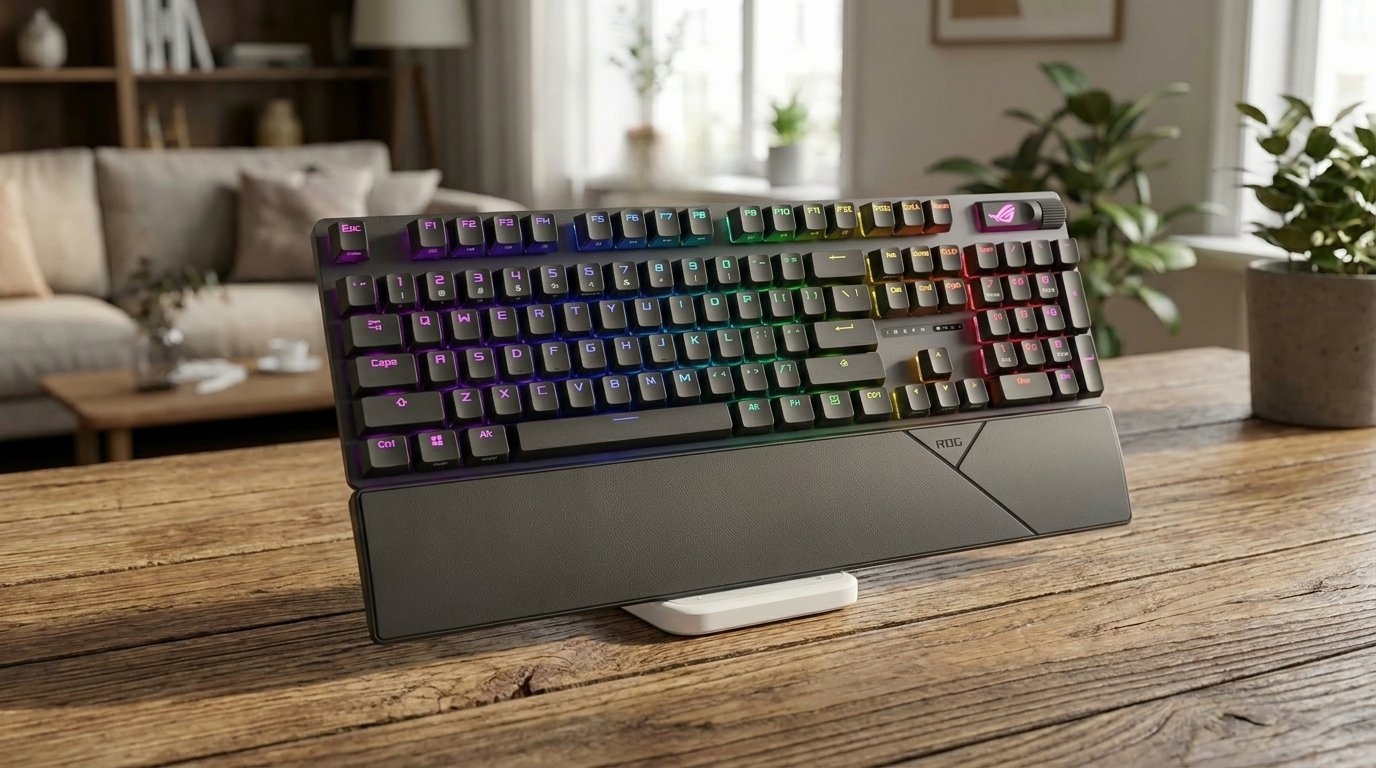
4. ASUS ROG Strix Scope II
If you want the freedom to experiment with different switches without soldering, the ROG Strix Scope II is the gaming keyboard to get. ASUS made this board fully hot-swappable, so you can pull out any switch with a basic tool and pop in a different one in seconds — try linears for gaming, swap to tactiles for typing, no commitment required.
The stock ROG NX Snow V2 linear switches are pre-lubed and impressively smooth. They offer a fast, quiet keystroke that works equally well for intense gaming sessions and long writing sprints. The PBT double-shot keycaps are a huge plus — they resist shine and fingerprints far better than the ABS caps found on most competitors at this price.
ASUS kept the design tastefully restrained for a ROG product. The branding is subtle, the build feels solid, and the full-size layout includes dedicated media controls. Armoury Crate software handles RGB customization, key remapping, and per-game profiles. It supports both PC and Mac out of the box.
The keyboard is wired only, so no wireless flexibility, and the software can be a bit heavy. But for gamers who want hot-swap capability, quality PBT keycaps, and smooth pre-lubed switches at a competitive price, the Strix Scope II is hard to beat.
📊 What the benchmarks say: The ROG Strix Scope II offers tri-mode connectivity with the 2.4GHz wireless mode delivering the lowest latency for gaming. ROG NX switches are factory-lubed and rated for 70 million keystrokes. The hot-swappable PCB accepts both 3-pin and 5-pin switches, giving experienced users full customization flexibility. PBT doubleshot keycaps resist shine and oil buildup over time. At approximately 1050g, it's a substantial, stable board.
What We Like
- Fully hot-swappable — swap switches freely
- Pre-lubed smooth linear switches
- PBT double-shot keycaps out of the box
- Tasteful, non-flashy design
- PC and Mac compatible
- Dedicated media controls
What Could Be Better
- Wired only — no wireless option
- Armoury Crate software is resource-heavy
- No included wrist rest
- Full-size only (no TKL variant)
Who it's for: Gamers and enthusiasts who want the ability to customize their switch experience over time. Perfect for anyone who isn't sure which switch type they prefer yet.
Check Price on Amazon →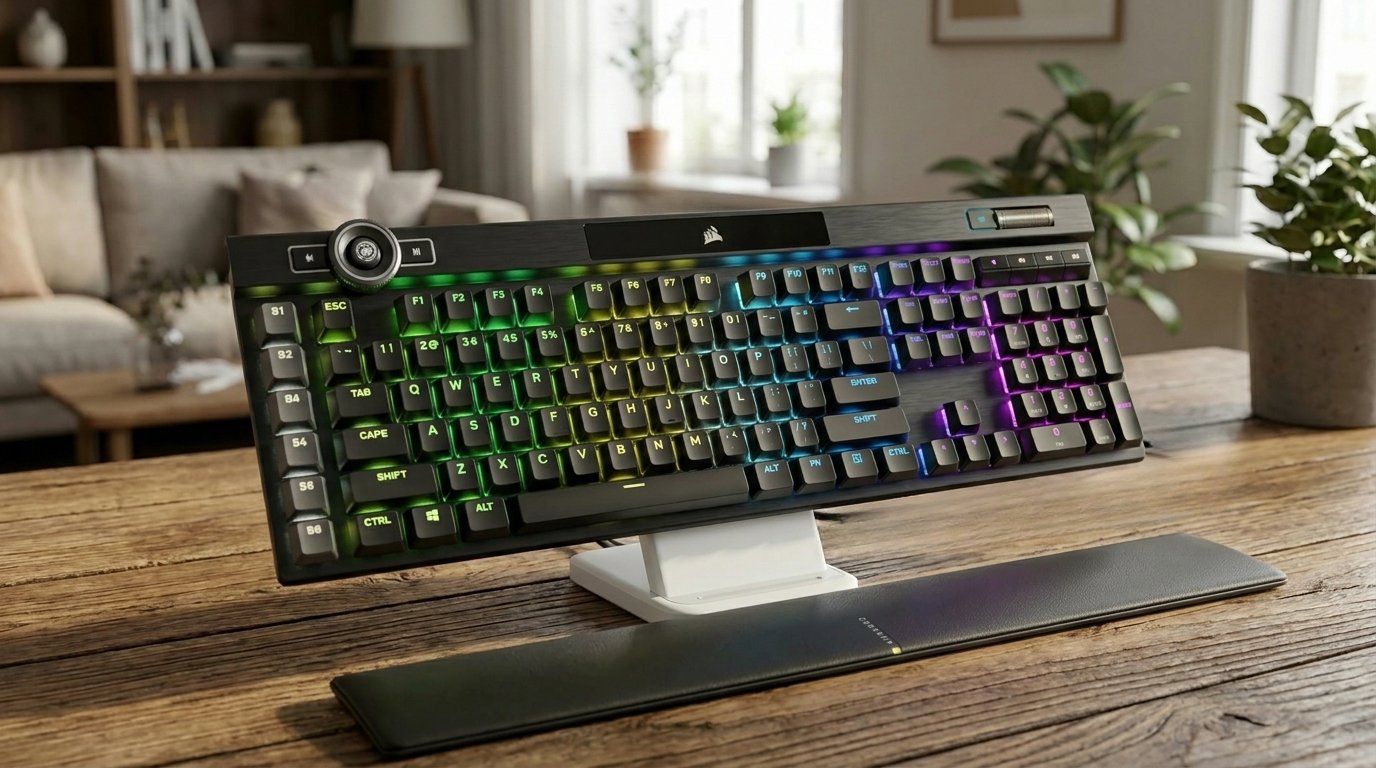
5. Corsair K100 RGB
The Corsair K100 is the everything keyboard. If you want zero compromises and you're willing to pay for it, the K100 delivers on every front — switches, features, build, software, and future-proofing.
Cherry MX Speed RGB Silver switches offer an ultra-short 1.2mm actuation distance, the fastest in Cherry's lineup. For competitive gaming, this translates to split-second inputs that can make a real difference. The short actuation does take some adjustment if you're used to standard switches, but once you adapt, the speed advantage is noticeable.
The iCUE control wheel is Corsair's signature feature — a tactile, notched dial that you can assign to media volume, macro execution, RGB control, or in-game commands. It feels premium and genuinely useful, unlike gimmicky extras on other boards. PBT double-shot keycaps are durable and feel great under the fingers.
Under the hood, AXON hyper-processing technology pushes the polling rate to 8000Hz and scanning rate to 4000Hz — the fastest input processing available in a retail keyboard. Elgato Stream Deck integration lets you assign visual shortcuts directly to the keyboard's function keys if you're a streamer or content creator.
The price is steep, but for users who need the absolute best in speed, customization, and build quality, the K100 justifies every dollar.
📊 What the benchmarks say: The K100 features Corsair's AXON technology with a 4000Hz polling rate — four times the standard 1000Hz, processing input every 0.25ms instead of 1ms. The optical-mechanical switches actuate at just 1.0mm for ultra-fast response. RTINGS.com notes it as one of the most feature-rich keyboards available, with the iCUE control wheel adding macro and media functionality that few competitors match. At approximately 1320g, it's the heaviest board on this list — built to stay firmly in place during intense sessions.
What We Like
- Fastest Cherry switches available (1.2mm)
- 8000Hz polling — industry-leading speed
- iCUE control wheel is genuinely useful
- PBT keycaps + premium build quality
- Elgato Stream Deck integration
- 50 onboard profiles
What Could Be Better
- Expensive — premium price tag
- Heavy and large footprint
- Speed switches may cause accidental presses
- Not hot-swappable
Who it's for: Competitive gamers, streamers, and power users who demand the fastest, most feature-rich keyboard available and are willing to invest in top-tier hardware.
Check Price on Amazon →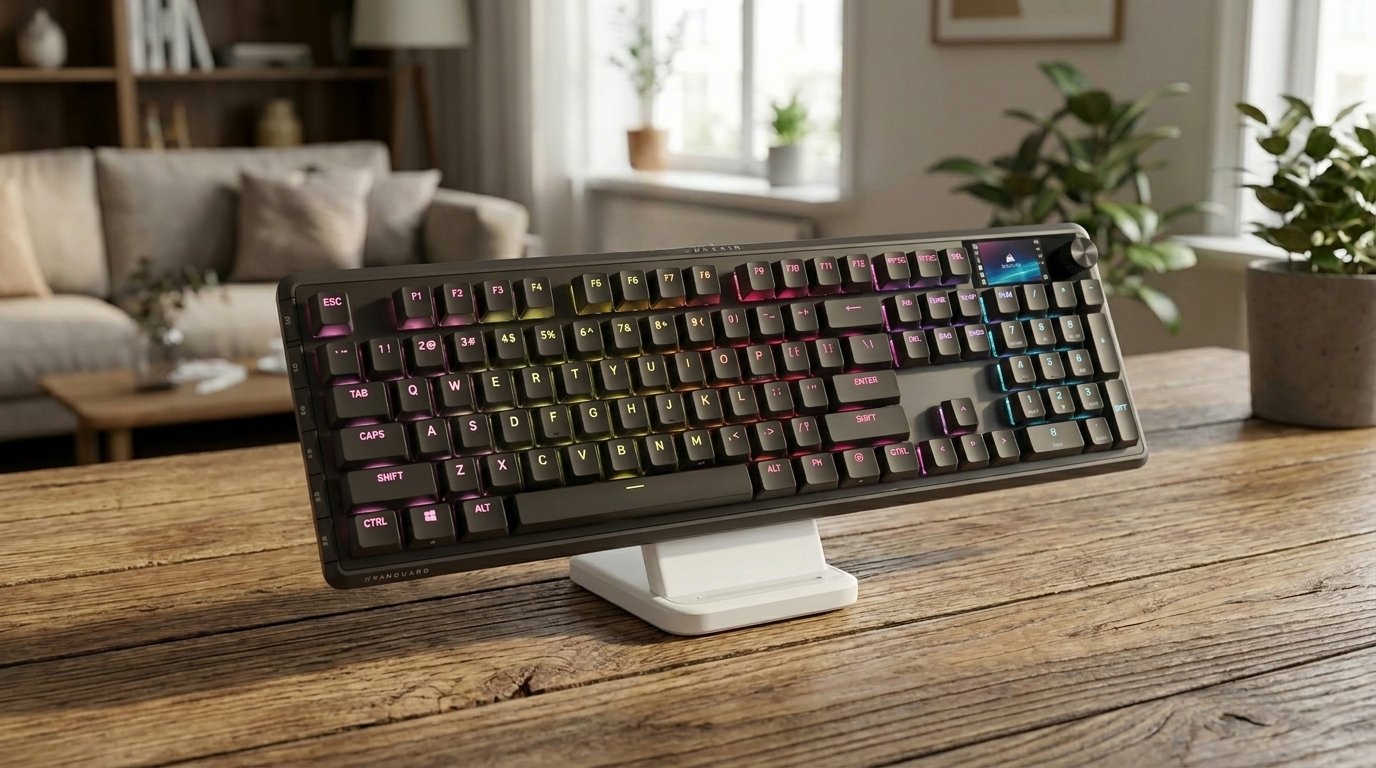
6. Corsair Vanguard PRO 96
The Vanguard PRO 96 represents the next generation of keyboard technology. Hall Effect switches use magnets and sensors instead of physical metal contacts to register keystrokes — meaning there's no mechanical wear, virtually unlimited lifespan, and the ability to adjust exactly when a keypress fires.
The MGX Hyperdrive switches enable Rapid Trigger, the feature that's taken competitive gaming by storm. Instead of waiting for a key to fully release before it can fire again, the switch re-actuates during the upstroke — meaning you can counter-strafe in CS2 or Valorant faster than physically possible on a traditional mechanical board.
Corsair's FlashTap SOCD (Simultaneous Opposing Cardinal Directions) implementation is best-in-class, and the 8000Hz polling rate ensures every input reaches the game as fast as hardware allows. The 96% layout is a smart choice — it keeps the numpad for productivity while shaving off just enough to free up desk space.
Virtual Stream Deck integration adds visual shortcuts directly into the keyboard for streamers and content creators. The build quality matches Corsair's flagship standards, and iCUE software provides full customization control.
This is a serious competitive tool at a serious price — but if you play ranked and want every possible advantage, the Vanguard PRO 96 delivers tech that didn't exist two years ago.
📊 What the benchmarks say: The Vanguard PRO 96's 8000Hz polling rate is the highest on this list, sending position data to your PC 8,000 times per second. The magnetic Hall Effect switches support adjustable actuation from 0.1mm to 3.6mm and Rapid Trigger functionality, allowing competitive FPS players to set hair-trigger sensitivity. The 96% layout retains the numpad in a more compact footprint — ideal for users who need number input without a full-size board's width.
What We Like
- Rapid Trigger — game-changing for FPS
- 8000Hz polling rate
- Adjustable actuation per key
- 96% layout retains numpad
- Virtually unlimited switch lifespan
- Stream Deck integration
What Could Be Better
- Premium price point
- Wired only
- Overkill for non-competitive users
- Hall Effect feel differs from traditional mech
Who it's for: Competitive FPS players who want every millisecond of advantage. If you play ranked in CS2, Valorant, or Apex Legends, this is the keyboard to get.
Check Price on Amazon →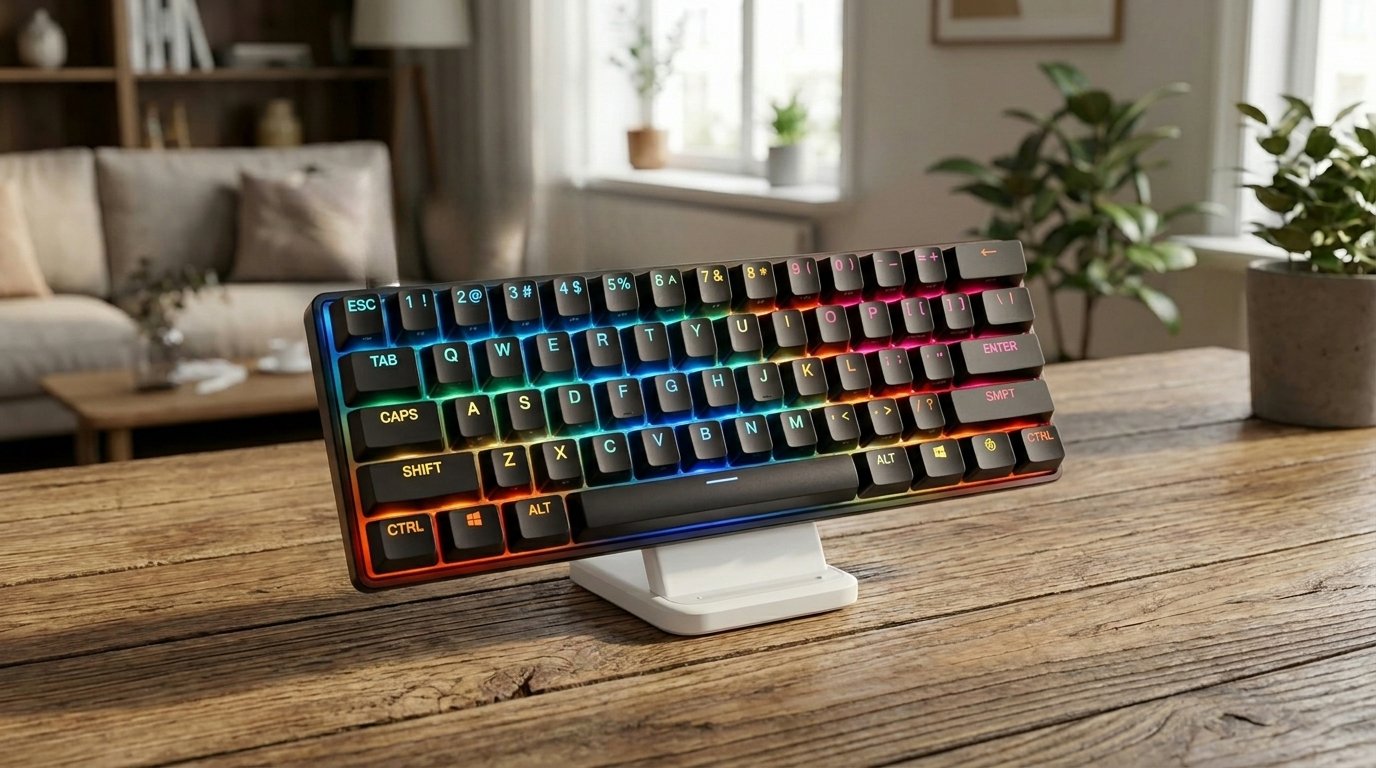
7. SteelSeries Apex Pro Mini Gen 3
The Apex Pro Mini Gen 3 is SteelSeries' most advanced keyboard, packed into the smallest possible form factor. The 60% layout — just 61 keys — maximizes desk space for the wide mouse sweeps that competitive FPS players rely on.
The star is the OmniPoint 3.0 HyperMagnetic switch technology. Like other Hall Effect designs, these use magnets instead of contacts, but SteelSeries takes it further with per-key adjustable actuation from an astonishing 0.1mm to 4.0mm. Set your WASD keys to 0.1mm for instant movement response, and your typing keys to 2.0mm to avoid accidental presses — on the same keyboard.
Rapid Trigger and Rapid Tap/SOCD support give you the competitive edge in games where counter-strafing speed determines who lives and who dies. Protection Mode is a thoughtful addition that disables commonly mis-pressed keys during gameplay to prevent accidental alt-tabs or Windows key interruptions.
PBT keycaps ensure durability, and the compact aluminum build feels premium despite its small size. SteelSeries Engine 3 software provides comprehensive customization for per-key actuation, RGB, and game-specific profiles.
The trade-off is the 60% layout itself — no dedicated arrow keys, F-row, or numpad means heavy reliance on function layers. If you can live with that, this is one of the most capable competitive keyboards money can buy.
📊 What the benchmarks say: The OmniPoint 3.0 switches support actuation adjustable from 0.1mm to 4.0mm — the widest range available in any production keyboard. At the 0.1mm setting, key registration is effectively instant. The 4000Hz polling rate in wired mode delivers 0.25ms response time. SteelSeries' Rapid Trigger allows re-actuation without fully releasing the key, critical for counter-strafing in tactical shooters like Valorant and CS2. At approximately 600g, the 60% form factor is ultra-portable for LAN events.
What We Like
- Per-key actuation adjustment (0.1–4.0mm)
- Rapid Trigger + SOCD for competitive gaming
- Ultra-compact 60% saves max desk space
- PBT keycaps
- Protection Mode prevents accidental presses
- Premium build quality
What Could Be Better
- 60% layout — no arrow keys/F-row/numpad
- Wired only
- Expensive for a compact board
- Learning curve for function layers
Who it's for: Esports players and competitive gamers who prioritize reaction speed and desk space above all else. The ultimate tournament-grade compact keyboard.
Check Price on Amazon →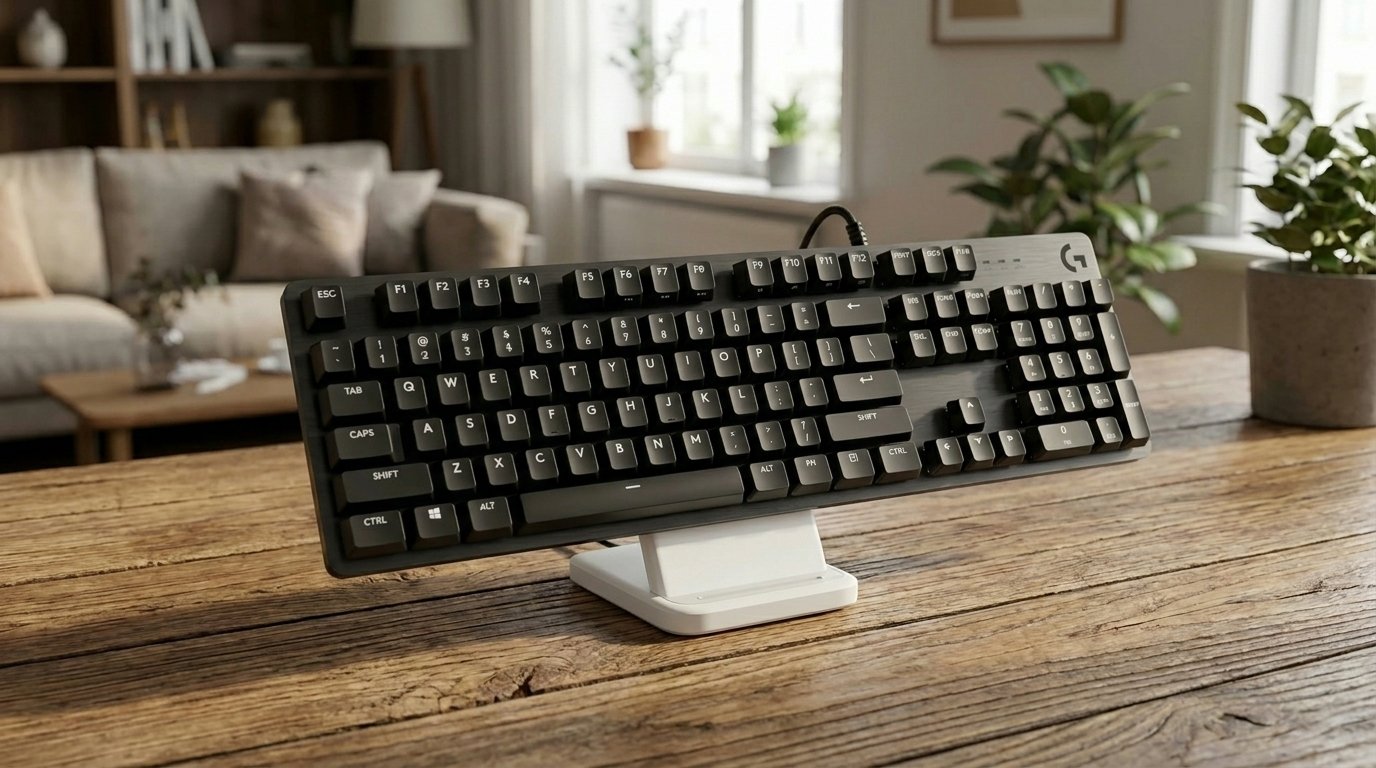
8. Logitech G413 SE
Not everyone needs adjustable actuation, Hall Effect magnets, or a $200 price tag. Sometimes you just want a solid, well-built mechanical keyboard that does its job reliably — and the Logitech G413 SE nails that brief better than anything else in its price range.
Logitech's own tactile mechanical switches provide a clean, satisfying bump on every keystroke. They're rated for 70 million presses — matching or exceeding boards costing three times as much. The feel is honest and consistent, with no mushiness or wobble that you sometimes get from budget competitors.
The aluminum-alloy top case is the biggest surprise at this price. It gives the G413 SE a weight and rigidity that feels genuinely premium. You'd expect a plastic shell at this tier, but Logitech delivers metal construction that could easily pass for a $100+ keyboard in a blind feel test.
PBT keycaps are another unexpected win — most budget boards ship with ABS caps that develop a greasy shine within months. The PBTs here will hold up for years. White LED backlighting is simple but effective, and the full-size layout includes everything you need without any extras you don't.
This is a plug-and-play keyboard: no software required, no drivers to install, no bloatware. Plug it in and start typing. For anyone entering the mechanical keyboard world on a budget, this is where to start.
📊 What the benchmarks say: The G413 SE uses standard Logitech tactile mechanical switches rated for 50 million keystrokes. At 1000Hz wired polling, latency is low and consistent. The aluminum-magnesium alloy top case provides surprising rigidity for this price range. PBT keycaps are a notable inclusion — most keyboards under $60 ship with cheaper ABS plastic that develops shine over time. At approximately 810g, it strikes a balance between portability and desk stability.
What We Like
- Incredible value for the price
- Aluminum-alloy frame feels premium
- PBT keycaps — rare at this tier
- 70M keystroke rating
- Plug-and-play, no software needed
- Clean, simple design
What Could Be Better
- White LED only — no RGB
- 6-key rollover (not full N-key)
- No software customization
- No wrist rest included
Who it's for: First-time mechanical keyboard buyers, students, and anyone who wants a reliable, well-built board without spending more than they need to. The best entry point into the mechanical world.
Check Price on Amazon →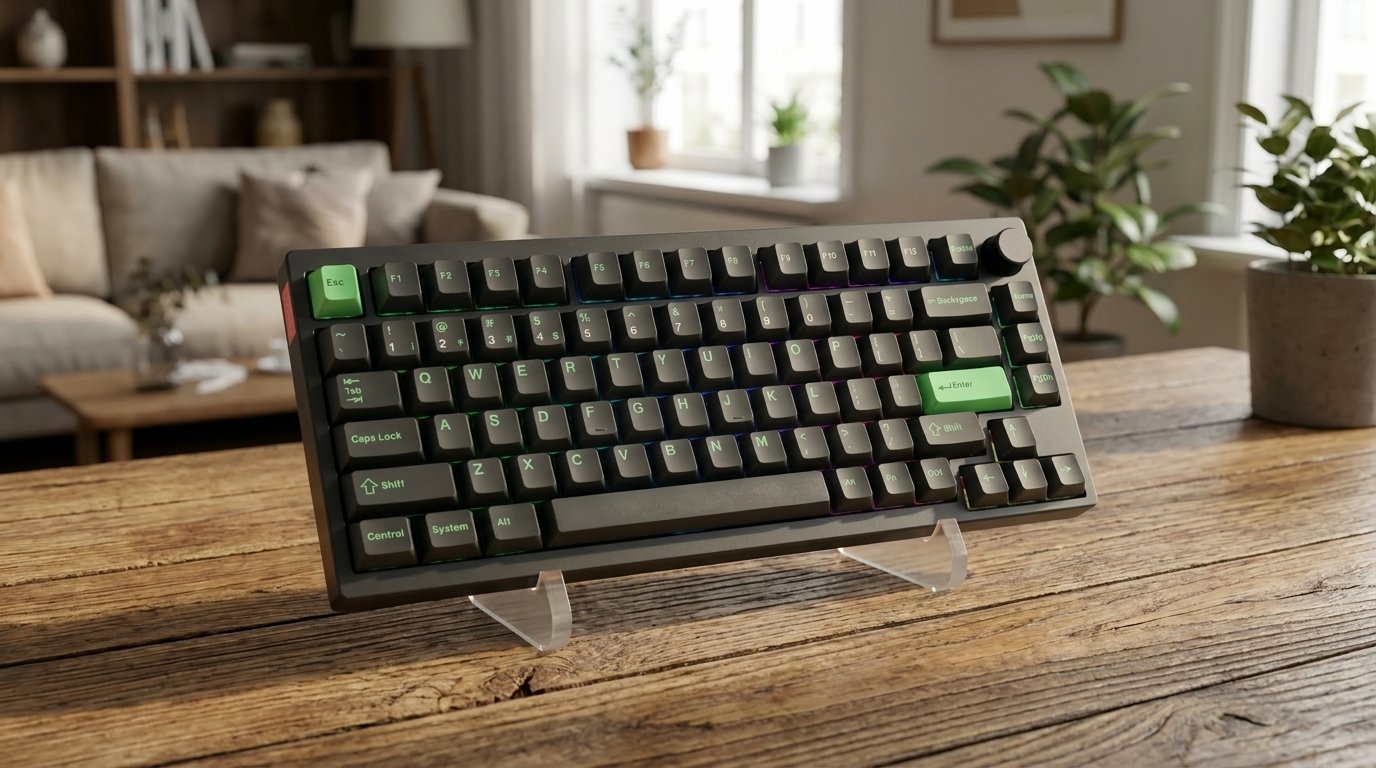
9. Lemokey P1 HE
Most Hall Effect keyboards are wired-only — the Lemokey P1 HE breaks that mold. Built by the team behind Keychron (one of the most respected names in the enthusiast keyboard world), the P1 HE delivers magnetic switch technology with the freedom of wireless connectivity.
Gateron Double-Rail magnetic switches provide adjustable actuation points and rapid trigger functionality, giving you the competitive advantages of Hall Effect without being tethered to your desk. The gasket mount construction — typically found in custom keyboards costing $300+ — isolates the PCB from the case for a refined, bouncy typing feel and excellent sound.
The 75% layout with a dedicated programmable knob is arguably the most versatile form factor available. You keep your F-row, arrow keys, and a few navigation keys while saving significant desk space compared to full-size. The knob handles volume, zoom, or whatever you assign it in software.
Full QMK/VIA compatibility is a massive advantage for power users. You get complete control over key mapping, layers, macros, and tap/hold behavior — the deepest firmware customization available on any keyboard platform. The board comes fully assembled and ready to use out of the box.
If you want Hall Effect tech with wireless freedom, enthusiast-grade build quality, and open-source firmware, the P1 HE is the only board that checks all three boxes.
📊 What the benchmarks say: RTINGS.com lists the Lemokey P1 HE among notable Hall Effect keyboards. The magnetic switches support adjustable actuation points and Rapid Trigger through Keychron's Launcher software. The gasket-mounted design reduces case resonance and creates a deeper, more satisfying sound profile compared to tray-mounted alternatives. The 75% layout includes a function row and arrow keys while staying compact. Tri-mode wireless (BT + 2.4GHz + USB-C) provides flexible connectivity for both gaming and productivity.
What We Like
- Hall Effect + wireless — rare combo
- Gasket mount for premium sound and feel
- QMK/VIA — deepest firmware customization
- 75% layout with knob is very versatile
- Fully assembled — no DIY required
- Keychron pedigree build quality
What Could Be Better
- Newer brand — less track record
- Software learning curve for QMK/VIA
- Wireless may add slight latency vs wired
- Premium pricing
Who it's for: Enthusiasts and competitive gamers who want the best of both worlds — Hall Effect performance with wireless freedom and deep customization through QMK/VIA.
Check Price on Amazon →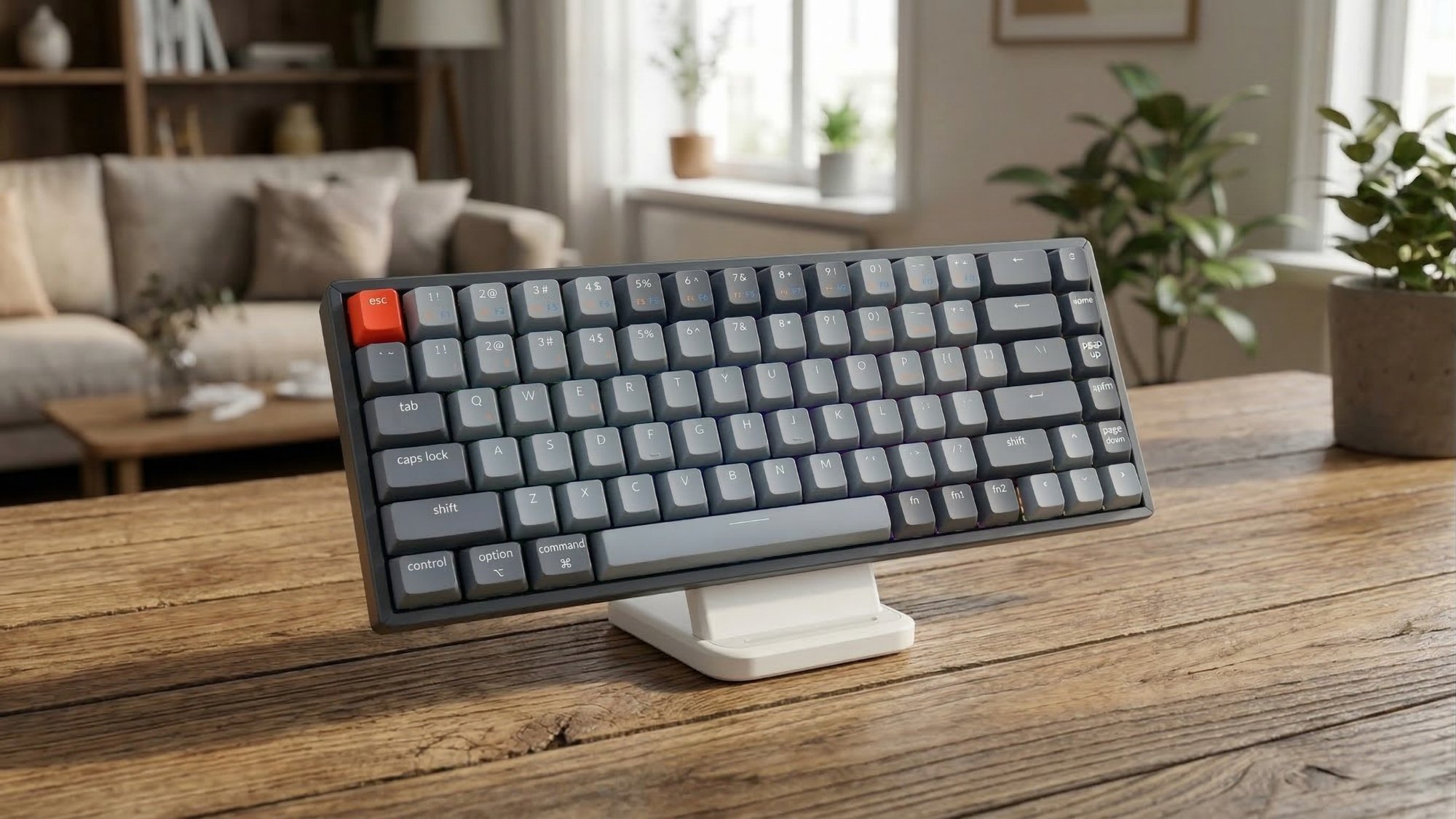
10. Keychron K6
Keychron has earned its massive following by doing one thing exceptionally well: making quality mechanical keyboards that work flawlessly on both Mac and Windows without compromise. The K6 is the sweet spot of their lineup — compact, wireless, versatile, and honestly priced.
The 65% layout (68 keys) keeps your arrow keys and a column of navigation keys while ditching the numpad and F-row. It's the perfect balance for people who need arrows for coding, spreadsheets, or gaming but want a smaller desk footprint. The Keychron K Pro Red switches are smooth linears that feel great for both typing and gaming — quiet, fast, and consistent.
Bluetooth 5.1 connects to up to 3 devices with quick switching between them — a laptop, tablet, and phone, for example. The keyboard also works wired via USB-C for zero-latency gaming or when you need to charge. Keychron includes both Mac and Windows modifier keycaps in the box, and the keyboard auto-detects your OS.
The rechargeable battery lasts up to 72 hours with LED backlighting on, or up to 240 hours with it off. The aluminum frame gives it a solid, premium feel despite its compact size. And at its price point, it significantly undercuts competitors with similar feature sets.
For anyone who wants a clean, capable wireless mechanical keyboard that works equally well on a MacBook and a Windows desktop, the K6 is one of the best deals in the market.
📊 What the benchmarks say: The K6's hot-swappable PCB supports both 3-pin and 5-pin switches, making it one of the most popular platforms for switch customization in the enthusiast community. Bluetooth 5.1 supports up to 3 simultaneous device pairings. The aluminum frame version weighs approximately 590g — the lightest full-featured board on this list. Gateron switches are rated for 50 million keystrokes and come in Red (linear), Brown (tactile), and Blue (clicky) variants. The 65% layout retains arrow keys and navigation cluster while staying compact enough for travel.
What We Like
- True Mac + Windows dual compatibility
- Bluetooth to 3 devices with quick switch
- 65% layout keeps arrows — very practical
- Smooth K Pro Red switches
- Great battery life
- Excellent price for the features
What Could Be Better
- Not hot-swappable (standard version)
- ABS keycaps on base model
- No dedicated media controls or knob
- LED version limited to white backlight
Who it's for: Mac and Windows users who want a compact, wireless mechanical keyboard that "just works" across all their devices. Perfect for desks, coffee shops, and coworking spaces.
Check Price on Amazon →Frequently Asked Questions
Test Before You Buy
Before investing in a new keyboard, check whether your current one actually has issues. Our free keyboard tester checks every key in under a minute. If keys aren't registering, see our troubleshooting guide first — the fix might be simpler than you think.
⌨ Is Your Current Keyboard Working Properly?
Check every key in seconds with our free online keyboard test tool.
Go to Keyboard Test →