Best Webcams 2026
Your laptop's built-in webcam is probably the weakest link in your video call setup. It sits below eye level, uses a tiny sensor, and produces soft, grainy video that makes you look washed out. An external webcam — even an affordable one — fixes all of that: sharper image, better color, proper eye-level positioning, and features like autofocus and light correction that make you look professional without effort.
We've selected five webcams across every budget and use case, from budget-friendly 1080p workhorses to a 4K powerhouse with remote-controlled zoom.
Our Top 5 Picks

1. NexiGo N660P
If you stream or create content, frame rate matters — and the NexiGo N660P delivers 1080p at 60 frames per second, making your webcam feed silky smooth compared to the choppy 30fps most competitors offer. The difference is immediately visible when you gesture, turn your head, or move around. For streamers, 60fps makes your facecam look professional and dynamic.
The N660P pairs its high frame rate with autofocus that tracks your face accurately even as you lean in and out, and dual built-in microphones that serve as a decent backup when your USB mic isn't available. NexiGo's companion software lets you fine-tune brightness, contrast, white balance, and exposure without relying on your streaming app's settings.
A physical privacy cover slides over the lens when not in use — a small but appreciated security feature. The webcam mounts on any monitor via a universal clip and also has a standard tripod thread on the bottom. Compatibility is broad: works with OBS, Zoom, Teams, Skype, FaceTime, Twitch, and more.
For the price, 1080p/60fps with software control and autofocus is exceptional value. This is the webcam to buy if smooth video matters to you.
What We Like
- 60fps — silky smooth video for streaming
- Software control for fine-tuning
- Autofocus tracks face accurately
- Physical privacy cover
- Dual mics as backup audio
- Great value at this price
What Could Be Better
- 1080p max (no 4K option)
- Built-in mics are decent, not great
- Software is Windows-focused
- No HDR
Who it's for: Streamers, content creators, and gamers who want the smoothest possible webcam feed. 60fps makes a visible difference on-stream.
▶ Watch Video Check Price on Amazon →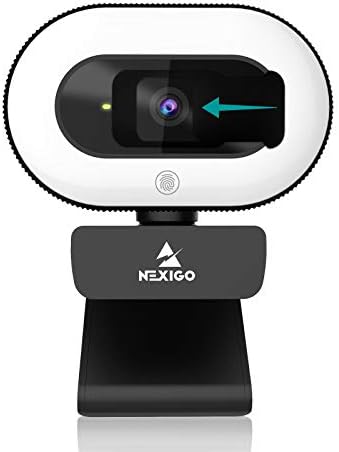
2. NexiGo StreamCam N930E
Lighting is the single biggest factor in webcam image quality — and the NexiGo N930E solves the lighting problem by building a ring light directly into the webcam. Three adjustable brightness levels let you illuminate your face evenly regardless of the room's ambient lighting. No separate ring light to buy, no extra desk clutter, no power cables to manage.
The 1080p autofocus camera sits in the center of the ring light, producing well-lit, sharp video with natural-looking catchlights in your eyes (the circular reflection that makes eyes look lively on camera). A physical privacy cover slides over both the lens and light when not in use.
Setup is true plug-and-play — connect USB and you're live. NexiGo's software allows further image adjustments. For people who take video calls in dimly lit rooms, work at night, or simply don't want to fuss with external lighting, the N930E is the most practical all-in-one solution available.
What We Like
- Built-in ring light — no extra gear needed
- 3 brightness levels
- Autofocus with software control
- Privacy cover included
- All-in-one — camera + light in one device
- Flattering catchlights in eyes
What Could Be Better
- 30fps (no 60fps option)
- Ring light may not replace proper desk lighting
- Light draws from USB power
- Larger footprint than standard webcams
Who it's for: Remote workers who take calls in dimly lit rooms and want a single device that solves both camera and lighting. The most convenient all-in-one webcam solution.
▶ Watch Video Check Price on Amazon →
3. Logitech Brio 101
Logitech practically invented the consumer webcam market, and the Brio 101 is their entry-level 1080p offering designed for one purpose: making you look good on video calls with zero effort. Auto-light correction adjusts exposure in real time to handle changing room lighting — moving from a bright window to a dim corner doesn't throw off your image.
The built-in mic captures clear voice audio for casual calls. A physical shutter covers the lens for privacy. USB-A connectivity works on virtually any computer, and the compact design mounts cleanly on laptop screens and monitors alike.
Logitech also highlights Nintendo Switch 2 GameChat compatibility, making this a versatile option beyond just PC video calls. The Brio 101 is the "can't go wrong" choice — Logitech's driver support, build quality, and compatibility are best-in-class, and the simple plug-and-play setup means zero troubleshooting.
What We Like
- Logitech reliability and driver support
- Auto light correction
- Physical privacy shutter
- Clean, compact design
- Nintendo Switch 2 compatible
- Plug-and-play — works instantly
What Could Be Better
- 30fps only
- USB-A (no USB-C)
- No software fine-tuning
- Fixed focus (no autofocus)
Who it's for: Professionals who want a reliable, no-fuss webcam from a trusted brand for daily Zoom and Teams meetings. Plug in, forget about it, look good.
▶ Watch Video Check Price on Amazon →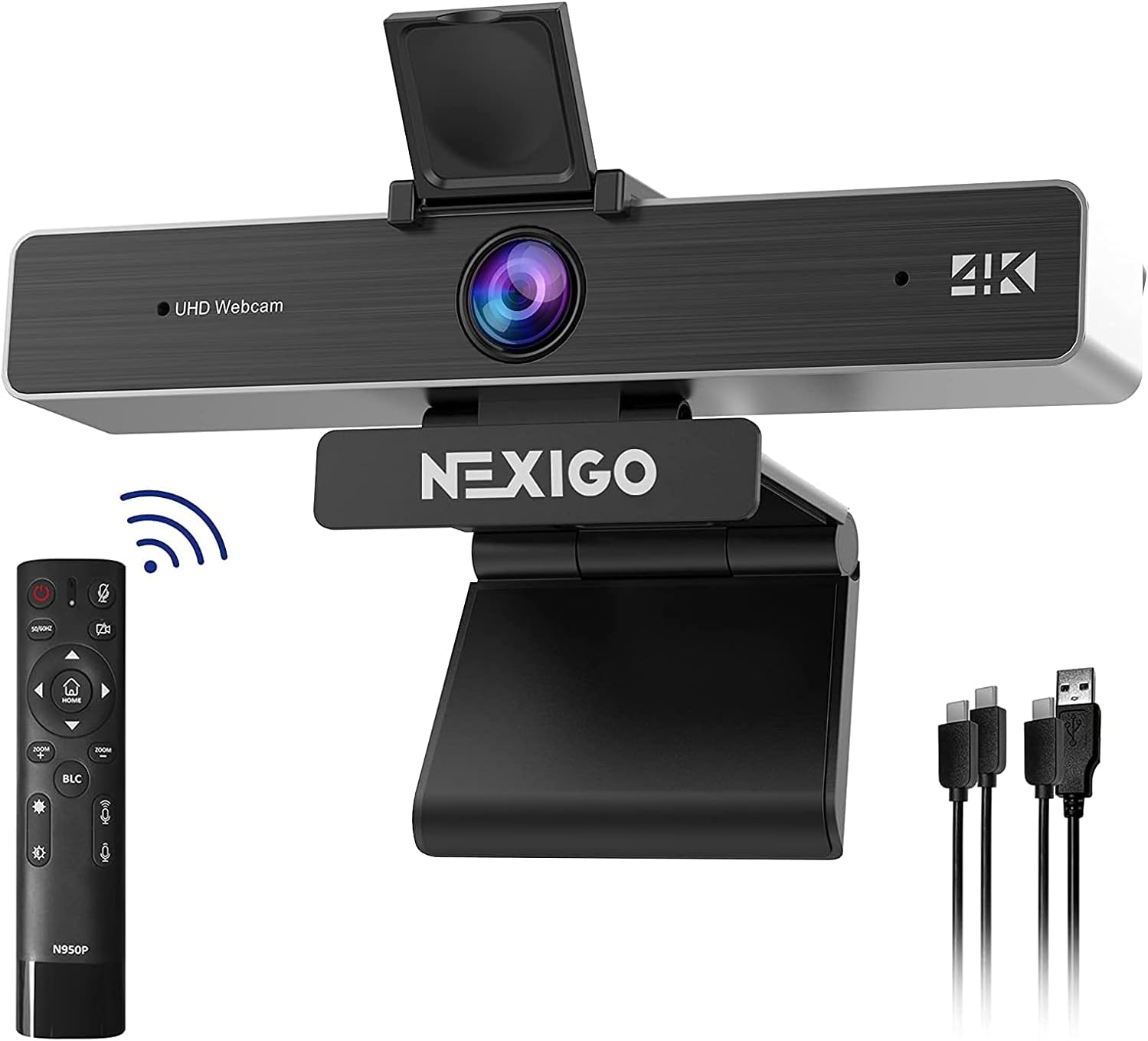
4. NexiGo N950P
The NexiGo N950P is the webcam to buy when you need the absolute best image quality and the most control. It records at true 4K resolution using a Sony Starvis sensor — the same sensor technology used in professional security and broadcast cameras, known for exceptional low-light performance and color accuracy.
The standout feature is 5x digital zoom controlled by a physical remote. During a call or stream, you can zoom in smoothly without touching your computer — perfect for product demos, showing details to colleagues, or framing a tighter shot for content creation. The remote also pans the digital viewport left and right within the 4K frame.
Dual stereo microphones provide spatial audio pickup, and the camera is Zoom-certified, meaning it's been tested and verified for optimal performance with the platform. At the premium end of the webcam market, the N950P delivers features that typically require a DSLR or mirrorless camera setup.
What We Like
- 4K resolution — sharpest image available
- Sony Starvis sensor — excellent low-light
- 5x zoom with physical remote
- Zoom Certified
- Dual stereo microphones
- Pan and zoom during calls
What Could Be Better
- Highest price on this list
- 4K is overkill for most video calls
- Requires more USB bandwidth
- Remote adds another device to manage
Who it's for: Content creators, presenters, and professionals who need the sharpest possible image, remote zoom control, and superior low-light performance. The premium choice.
▶ Watch Video Check Price on Amazon →
5. Logitech C920x HD Pro
The Logitech C920x is the most popular webcam in the world — and it earned that title by being consistently good at everything without being expensive. Full HD 1080p at 30fps, clear dual stereo mics, HD light correction, and rock-solid Logitech driver support make it the default recommendation for anyone who wants a reliable webcam that just works.
HD light correction automatically adjusts to your room's lighting conditions, compensating for dim environments and backlighting. The dual stereo microphones capture surprisingly clear audio for calls — not as good as a dedicated mic, but far better than most laptop built-ins. The camera works natively with Zoom, Teams, Google Meet, and is also compatible with Nintendo Switch 2's GameChat mode.
The C920x isn't the newest, the flashiest, or the highest resolution webcam on this list. But it's the one that tens of millions of people use every day for a reason: it delivers solid performance at a fair price with zero headaches. If you just want to buy a webcam and be done thinking about it, this is it.
What We Like
- Proven reliability — millions of users
- HD auto light correction
- Clear dual stereo mics
- Broad platform compatibility
- Nintendo Switch 2 GameChat
- Fair price for the quality
What Could Be Better
- 30fps only (no 60fps)
- USB-A (no USB-C)
- No privacy cover included
- Design hasn't changed in years
Who it's for: Anyone who wants a dependable, well-priced webcam with zero learning curve. The safe choice that never disappoints.
▶ Watch Video Check Price on Amazon →Frequently Asked Questions
Test Your Webcam
After unboxing your new webcam, use our free webcam tester to verify the resolution, frame rate, and image quality before your first important call.
📷 Test Your Webcam Now
Live feed, FPS, resolution, brightness — verify everything works in seconds.
Go to Webcam Test →