Best Ergonomic Keyboards 2026: Protect Your Wrists
If you type for hours every day, your wrists are taking more punishment than you probably realize. Standard flat keyboards force your hands into an unnatural position — wrists bent upward, forearms twisted inward, fingers crammed together — and over months and years, that constant low-level strain adds up. The result can range from mild discomfort to serious repetitive strain injuries that require medical treatment.
An ergonomic keyboard won't turn back the clock on existing damage, but it can dramatically reduce the strain that causes problems in the first place. And if you're already pain-free, switching now is one of the best preventive investments you can make for your long-term health.
Why Use an Ergonomic Keyboard?
Ergonomic keyboards are designed around one core principle: keep your hands, wrists, and forearms in a neutral position while typing. A neutral position means your wrists are straight (not bent up, down, or sideways), your forearms are parallel to the floor, and your fingers reach keys along their natural arc rather than stretching sideways.
Here's what that translates to in practice:
🔹 Reduced Ulnar Deviation
Standard keyboards force your hands to angle inward toward the center. Ergonomic keyboards use a split or wave design that lets each hand sit in line with its forearm, eliminating the sideways wrist bend that strains tendons on the outside of your wrist.
🔹 Less Wrist Extension
Flat keyboards sit higher than your wrists, forcing them to bend upward. Ergonomic boards use palm rests and negative tilt options to keep your wrists in a neutral or slightly downward angle, reducing pressure on the carpal tunnel.
🔹 Reduced Forearm Pronation
When your hands lay flat on a keyboard, your forearms rotate inward. Tented (angled) ergonomic keyboards elevate the thumb side of each hand, returning your forearms to a more natural "handshake" position and reducing the twist that causes fatigue.
🔹 Less Finger Strain
Many ergonomic keyboards use low-profile mechanical switches with lighter actuation forces. This means your fingers don't have to push as hard on every keystroke — over thousands of presses per day, the reduction in effort makes a real difference in finger and hand fatigue.
Common Wrist Injuries from Typing
These are the conditions most commonly linked to prolonged keyboard use. An ergonomic keyboard can help prevent or alleviate symptoms of all of them — but it's important to understand what you're protecting against.
Carpal Tunnel Syndrome (CTS)
Compression of the median nerve as it passes through the carpal tunnel in the wrist. Symptoms include pain, numbness, and tingling in the thumb, index, and middle fingers. Affects roughly 3% of the general population and is especially common among heavy typists.
Repetitive Strain Injury (RSI)
An umbrella term for pain caused by repetitive movements and sustained awkward postures. RSI affects muscles, tendons, and nerves, and can cause chronic pain in the hands, wrists, forearms, and shoulders if not addressed.
Tendonitis
Inflammation of the tendons in the wrist and forearm from repetitive motion. Causes pain and tenderness around the affected joint, especially during movement. Common in people who type with their wrists bent upward on a flat keyboard.
Cubital Tunnel Syndrome
Similar to carpal tunnel but affects the ulnar nerve at the elbow. Caused by prolonged elbow flexion and pressure, which is worsened by keyboards that force your arms into cramped positions. Causes numbness in the ring and pinky fingers.
If you're already experiencing persistent pain, numbness, or tingling, please see a healthcare professional. An ergonomic keyboard is a preventive and supportive tool — not a substitute for medical treatment.
Quick Comparison Table
| Keyboard | Type | Switches | Connectivity | Weight | Best For |
|---|---|---|---|---|---|
| Kinesis mWave Quiet | Mechanical | Gateron LP Red (Linear) | BT + USB-C | 910 g | Overall Best |
| Perixx PERIBOARD-512B | Membrane | Rubber dome | Wired USB | ~780 g | Budget Entry |
| Logitech Ergo K860 | Membrane | Scissor-style | BT + Bolt 2.4G | 820 g | Wireless Productivity |
| Perixx PERIBOARD-535BR | Mechanical | TTC Brown (Tactile) | Wired USB | ~980 g | Budget Mechanical |
| Adesso AKB-150UB | Membrane | Membrane (~5M) | Wired USB | 885 g | Budget / Office |
Our Top Picks
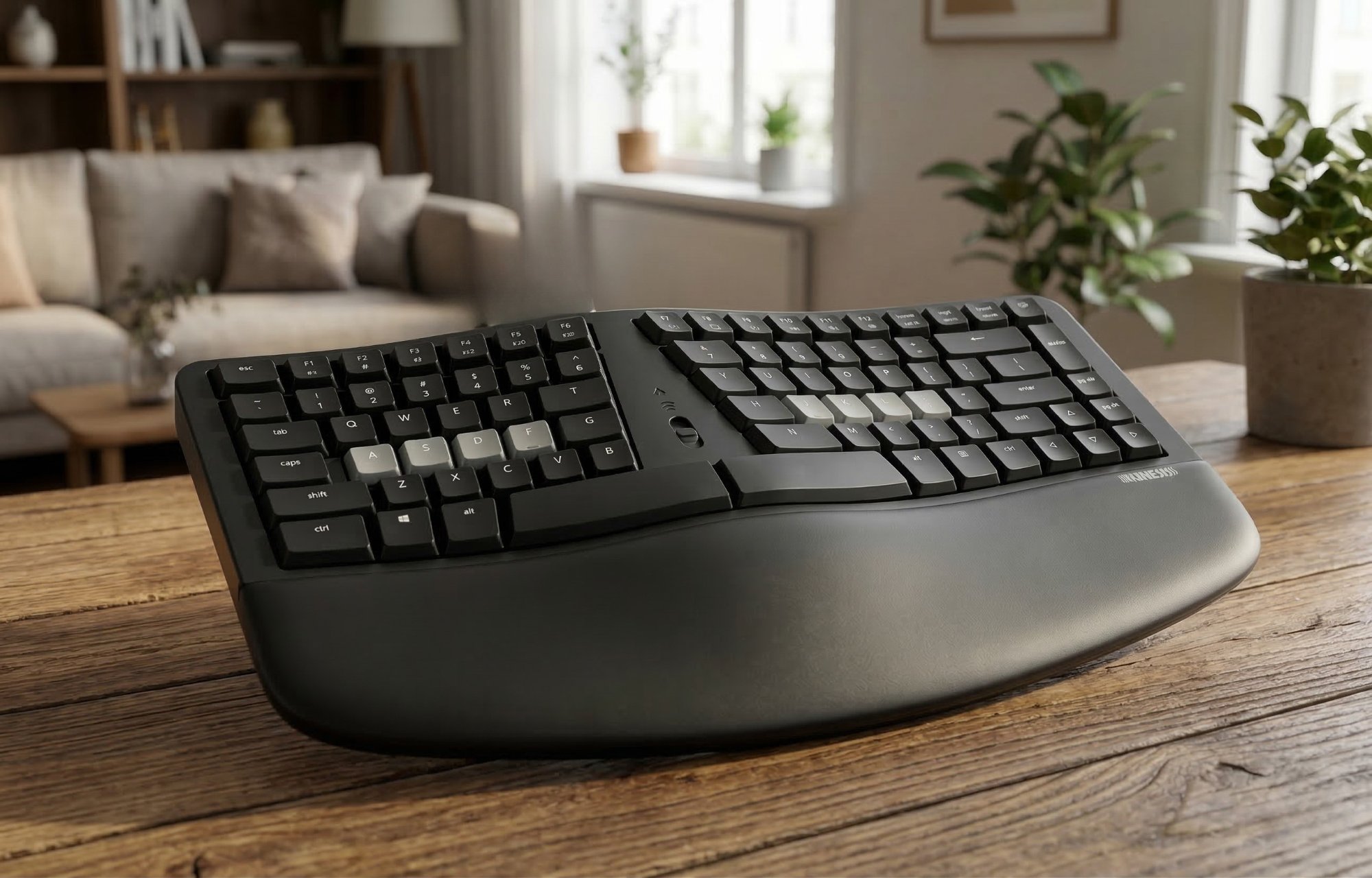
1. Kinesis mWave Quiet
Kinesis has been building ergonomic keyboards in the USA since 1992, and the mWave is their most accessible design yet. It takes the familiar "wave" shape that Microsoft popularized with the Sculpt and upgrades it with proper mechanical switches, full programmability, and wireless connectivity.
The Quiet version uses Gateron Low Profile Red linear switches — smooth, silent, and incredibly light at just 45g actuation force. Your fingers glide from key to key with minimal effort, which makes a huge difference over an 8-hour workday. The low-profile design keeps your wrists closer to the desk surface, reducing the upward wrist extension that causes strain.
Ergonomically, the mWave addresses all the major risk factors. The fixed split separates the key zones for each hand, reducing ulnar deviation. Built-in tenting angles each half slightly upward to reduce forearm pronation. The integrated velvety palm support keeps your wrists in a neutral position, and three included magnetic feet can create a negative tilt if you have especially sensitive wrists. The tenkeyless layout brings your mouse closer, reducing shoulder reach.
Connectivity is flexible: Bluetooth for wireless use with two devices, or wired via USB-C with backlighting enabled. The Kinesis Clique programming engine lets you remap any key, assign macros, and configure up to 8 layers — all through a browser-based interface with no software install required.
If you're coming from a standard keyboard, the transition is remarkably smooth. The wave shape feels intuitive within days, and the mechanical switches deliver a typing experience that's genuinely enjoyable — not just comfortable. This is the ergonomic keyboard we'd recommend to most people.
📊 What the benchmarks say: PC Gamer describes the mWave as "a good introduction to the world of ergonomic keyboards," noting it's ideal for all-day comfort in both office work and gaming. The Gateron Low Profile KS-33 switches have a 45g actuation force with tactile feedback, sitting between a standard MX switch and a Choc switch in travel distance. At 910g (2.0 lbs), it's stable on the desk without being immovable. The fixed split is wider than the Logitech K860, and the non-linear tenting curve takes slightly longer to adapt to — PC Gamer noted it required more adjustment time than competing wave keyboards. Kinesis has been building ergonomic keyboards in the USA since 1992, and the mWave carries a 2-year warranty.
What We Like
- Silent mechanical switches — office-friendly
- Addresses all major ergonomic risk factors
- Excellent palm rest and negative tilt option
- Full programmability via browser — no install
- Bluetooth + wired flexibility
- Easy transition from standard keyboards
What Could Be Better
- Backlighting only works wired
- Plastic frame (functional but not premium feel)
- Not hot-swappable
- Right hand placement takes adjustment
Who it's for: Anyone transitioning from a standard keyboard who wants proper ergonomics with mechanical quality. Ideal for office workers, writers, and developers with wrist or forearm concerns.
Check Price on Amazon →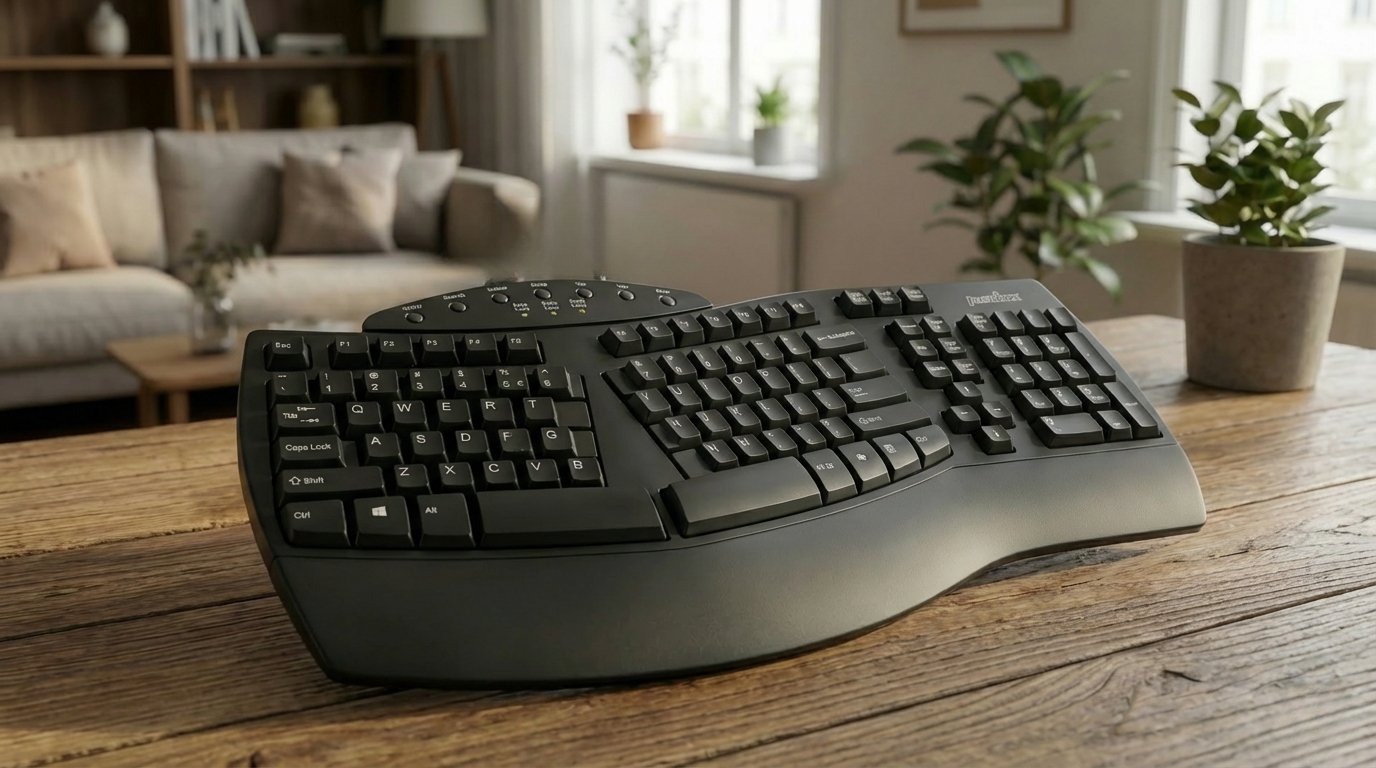
2. Perixx PERIBOARD-512B
Not everyone needs mechanical switches or Bluetooth — sometimes you just need a comfortable, well-designed ergonomic keyboard that doesn't cost much. The Perixx PERIBOARD-512B delivers exactly that, and it does it surprisingly well for its price.
The split layout angles each half of the keyboard outward, letting your hands and wrists settle into a natural position instead of cramming together in the center. A generously sized wrist rest runs the full width of the board, providing cushioned support that keeps your wrists elevated and neutral throughout long typing sessions.
The membrane switches are quiet and responsive — not as precise as mechanical, but perfectly adequate for office work and everyday typing. The full-size layout includes a numpad, dedicated media keys, and a standard key arrangement, so there's essentially no learning curve coming from a regular keyboard.
It connects via USB with plug-and-play simplicity. No drivers, no software, no setup. Plug it in and start typing. If you're experiencing wrist discomfort and want to try an ergonomic layout without a significant investment, the PERIBOARD-512B is the most sensible place to start.
📊 What the benchmarks say: The PERIBOARD-512B is consistently ranked among the best budget ergonomic keyboards on Amazon, with thousands of verified reviews averaging 4+ stars. The membrane switches provide quiet operation suitable for shared office environments. The full-width integrated wrist rest keeps wrists elevated at a neutral angle. At approximately 780g, it's lightweight and easy to reposition. The split angle matches the natural splay of the hands, reducing ulnar deviation without requiring the dramatic adaptation period of fully split keyboards. USB plug-and-play works on Windows, macOS, and Linux with no driver installation.
What We Like
- Very affordable entry point
- Comfortable split layout with wrist rest
- Full-size — no missing keys
- Quiet membrane switches
- Plug-and-play, zero setup
- No learning curve from standard keyboard
What Could Be Better
- Membrane switches — less tactile feedback
- Wired only — no Bluetooth
- No programmability
- Plastic build quality
Who it's for: Anyone on a tight budget who wants to try ergonomic typing for the first time. A risk-free way to see if a split layout helps your wrist pain before investing more.
Check Price on Amazon →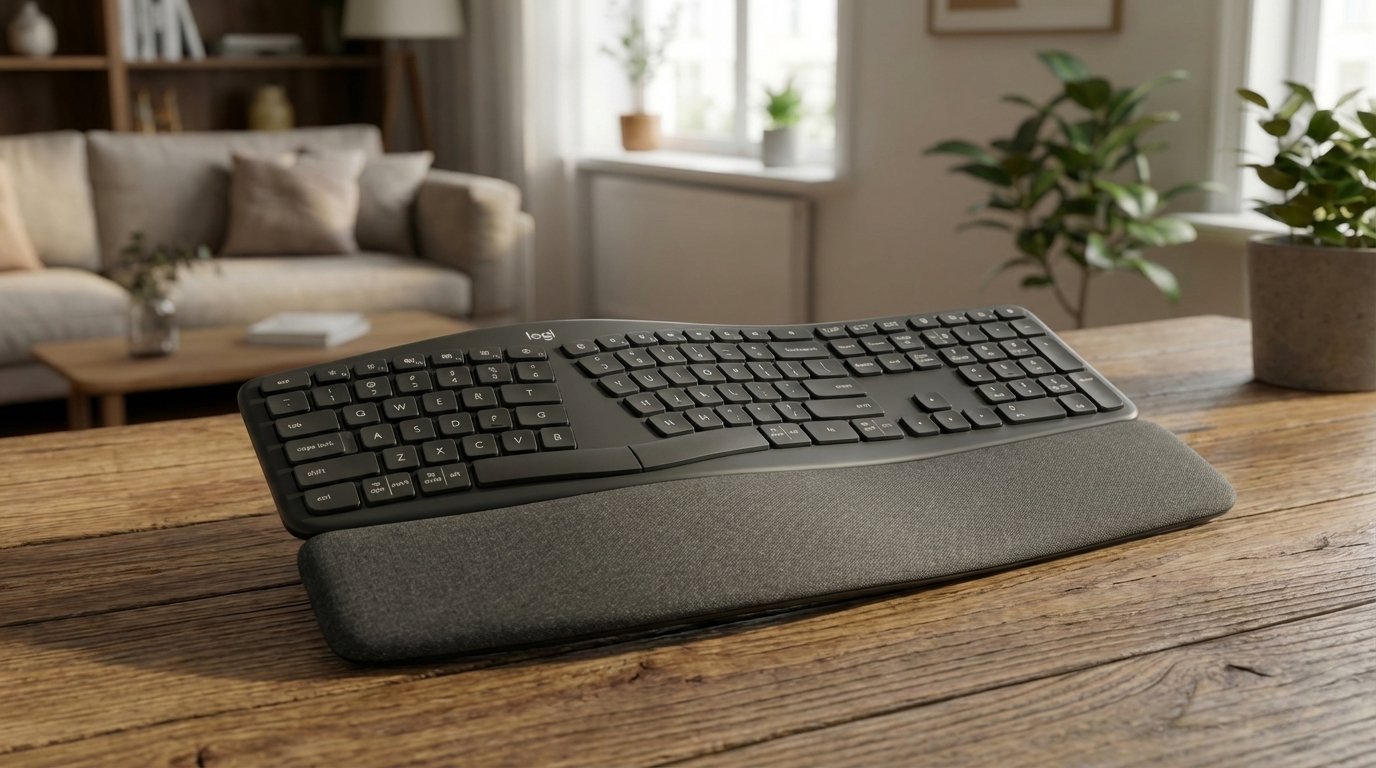
3. Logitech Ergo K860
The Logitech Ergo K860 is the keyboard that made ergonomic layouts mainstream. Its curved, split design positions your hands at a natural angle, while the adjustable palm lift lets you choose between a 0°, -4°, or -7° negative tilt — placing your wrists below the keys for minimal strain.
Logitech claims the K860 promotes 54% more wrist support than a standard keyboard, and in practice, the difference is immediately noticeable. The wrist rest is one of the most comfortable in any keyboard at any price — a layered system of memory foam and high-density foam that cushions without collapsing, even after months of daily use. The stain-resistant fabric covering stays clean and professional.
As a membrane keyboard, the K860 won't satisfy mechanical keyboard enthusiasts. But for the vast majority of office workers and casual typists, the typing feel is quiet, smooth, and comfortable. The rounded scissor keys have a satisfying travel that's a step above most membrane boards.
Connectivity is excellent: Bluetooth connects to up to three devices with easy switching, and the included Logi Bolt receiver provides a reliable 2.4GHz wireless connection. Battery life is outstanding at up to two years on two AAA batteries. It works with Windows, macOS, iPadOS, and ChromeOS, and Logi Options+ software provides key customization and Logi Flow multi-device workflow.
If you want proven, comfortable ergonomics from a brand you know and trust, the K860 is the safe, reliable choice.
📊 What the benchmarks say: The K860 has been widely reviewed as the best mainstream wireless ergonomic keyboard available. RTINGS.com notes its excellent multi-device Bluetooth support and comfortable curved wrist rest as standout features. The scissor-style membrane switches provide 1.8mm key travel — shorter than mechanical but with decent tactile feedback. Wireless latency over Bluetooth is typical for a productivity keyboard (not suitable for competitive gaming). At 820g, it's portable enough for travel between home and office. Battery life is rated at up to 2 years on 2x AAA batteries. The Logi Bolt 2.4GHz receiver provides a more stable connection than Bluetooth in RF-crowded environments. Logitech Options+ software enables per-app key customization and Logitech Flow cross-device control.
What We Like
- One of the best wrist rests on any keyboard
- Adjustable negative tilt (3 positions)
- Bluetooth to 3 devices + Logi Bolt
- 2-year battery life
- Cross-platform compatibility
- Proven, trusted Logitech build
What Could Be Better
- Membrane — no mechanical feedback
- Not rechargeable (uses AAA batteries)
- No backlighting
- Wrist rest not detachable
Who it's for: Office workers and everyday typists who want comfortable, reliable ergonomics with multi-device wireless and no fuss. The "just works" ergonomic keyboard.
Check Price on Amazon →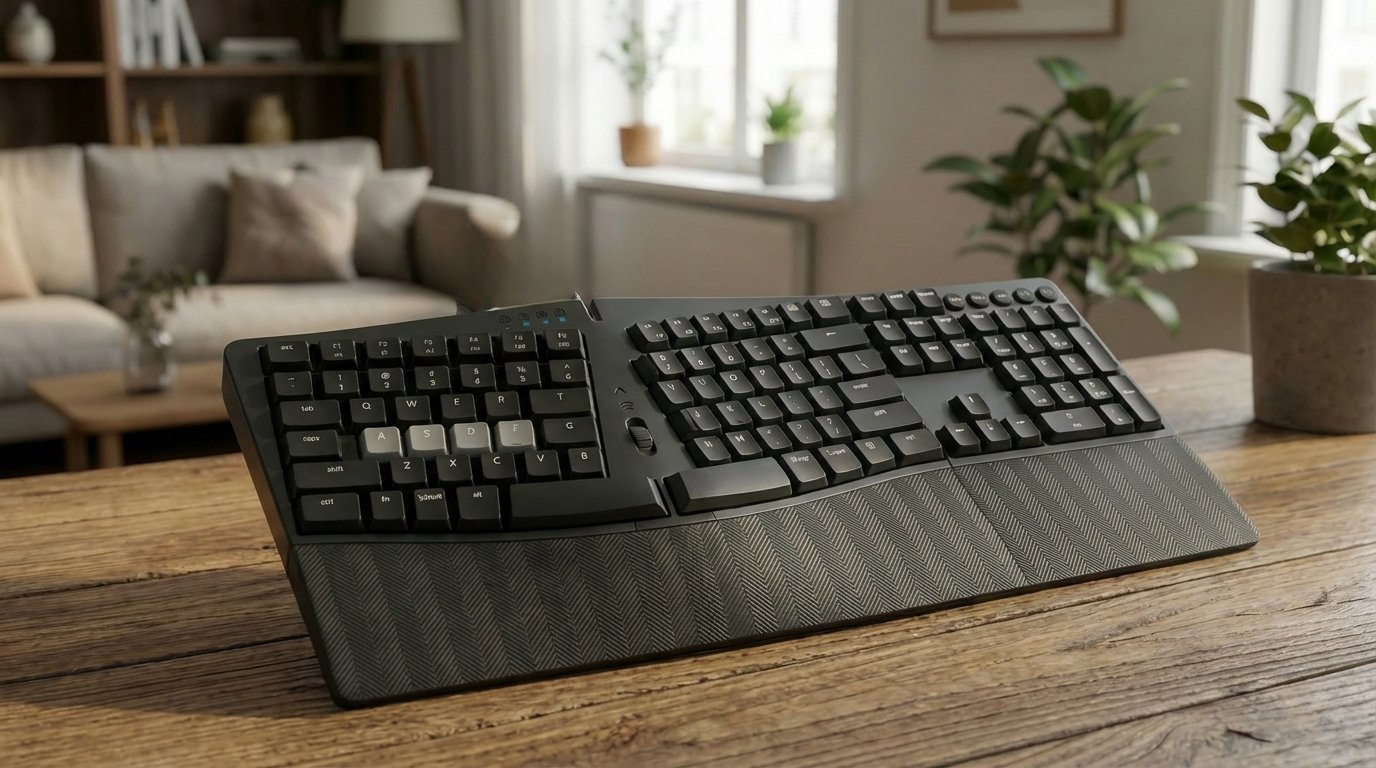
4. Perixx PERIBOARD-535BR
The PERIBOARD-535BR occupies a sweet spot that very few keyboards manage to hit: it's both ergonomic and mechanical, at a price that doesn't require much deliberation. If you've decided you want real mechanical switches in an ergonomic layout but don't want to spend $150+, this is the one to get.
It uses low-profile Brown tactile switches — a nice middle ground that gives you a subtle bump of feedback on each keystroke without the noise of clicky switches. The low-profile design keeps your wrists closer to the desk, and the full-size split layout angles your hands outward to reduce ulnar deviation.
Full N-key rollover (NKRO) and anti-ghosting ensure every keystroke registers, even during fast typing bursts. The firmware has been updated for improved compatibility with both Windows and macOS, and the keyboard works via a simple USB connection with no software needed.
Build quality is solid for the price — it's not going to win awards for premium materials, but it feels sturdy and the keycaps are well-made. The ergonomic curve is gentler than some competitors, which makes the transition from a standard keyboard easier. If you want the tactile satisfaction of mechanical switches combined with wrist-friendly ergonomics at a reasonable price, the 535BR delivers.
📊 What the benchmarks say: The PERIBOARD-535BR uses TTC Brown tactile switches with a 55g actuation force and 2.0mm actuation point — providing a noticeable bump on each keystroke without being clicky. Switches are rated for 50 million keystrokes. The full-size layout with dedicated numpad weighs approximately 980g, making it one of the heavier boards on this list but also one of the most stable. The split wave curve angle is moderate — gentler than the Kinesis mWave — which shortens the adaptation period for users coming from standard flat keyboards. USB wired connection ensures zero latency and no battery management.
What We Like
- Real mechanical switches at an affordable price
- Low-profile tactile Brown — comfortable and quiet
- NKRO anti-ghosting
- Works on Windows and Mac
- Gentle ergonomic curve — easy transition
- No software required
What Could Be Better
- Wired only
- No integrated wrist rest
- No backlighting
- Basic plastic build
Who it's for: Typists who want the feel of mechanical switches in an ergonomic form factor without a steep price. A smart upgrade from the PERIBOARD-512B if you're ready for mechanical.
Check Price on Amazon →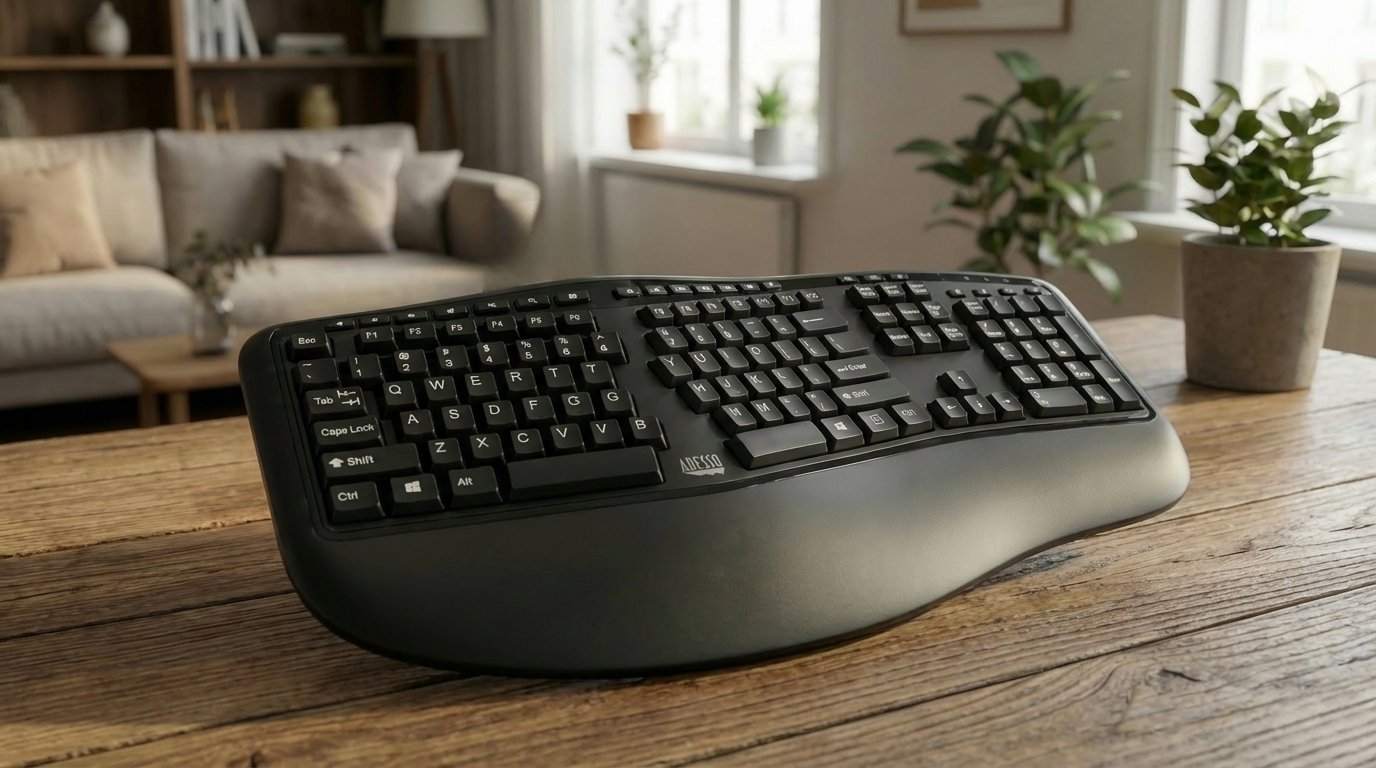
5. Adesso AKB-150UB
The Adesso AKB-150UB is a no-nonsense split ergonomic keyboard built for offices, government agencies, and anyone who needs comfortable typing at the lowest possible cost. Adesso has been manufacturing computer peripherals since 1994, and the AKB-150UB reflects their straightforward approach: proven ergonomic design, reliable build, and nothing unnecessary.
The split key zones and gently sloped wave shape position your hands, wrists, and forearms in a natural alignment — reducing the ulnar deviation and wrist extension that cause typing-related strain. The integrated palm rest runs the full width of the board, providing cushioned support that keeps your wrists elevated and neutral throughout long sessions.
The full 105-key US layout includes a dedicated numpad, 13 internet hotkeys, and 7 multimedia control keys (play/pause, volume, track skip) — all accessible without leaving the keyboard. Three LED indicators for Num Lock, Caps Lock, and Scroll Lock provide at-a-glance status.
Connectivity is simple wired USB — plug in and start typing, no drivers or software required. It works out of the box on Windows systems. The membrane keys are quiet and soft, making it office-friendly. At under $30, it's one of the most affordable ergonomic keyboards on the market, and its TAA compliance makes it eligible for government procurement.
📊 What the benchmarks say: The AKB-150UB uses membrane switches rated for approximately 5 million keystrokes — typical for this price category and sufficient for several years of office use. At 885g (1.95 lbs), it's the heaviest keyboard on this list due to the full-size layout with numpad, but that weight also makes it very stable on the desk. Dimensions of 520 × 235 × 38mm make it wider than TKL options but standard for a full-size split board. TAA (Trade Agreements Act) compliance is a notable feature for government and institutional buyers. SHI and Staples both stock this keyboard for enterprise procurement, reflecting its reliability for large-scale office deployments.
What We Like
- Under $30 — one of the cheapest ergonomic keyboards
- Full-size layout with dedicated numpad
- 20 multimedia + internet hotkeys
- Integrated palm rest
- TAA compliant — government procurement eligible
- Zero setup — USB plug-and-play
What Could Be Better
- Membrane only — no mechanical option
- Wired USB only — no wireless
- Windows only — limited Mac support
- 5M keystroke rating (lower than mechanical)
Who it's for: Office workers, government agencies, and budget-conscious buyers who need a reliable ergonomic keyboard with a full-size layout. Ideal for large-scale office deployments where cost and procurement compliance matter.
Check Price on Amazon →Frequently Asked Questions
Test Your Current Keyboard
Before making a switch, it's worth checking whether your current keyboard is actually registering all your keystrokes properly. Sometimes what feels like a wrist problem is actually a keyboard problem — dead keys force you to press harder, which increases strain. Our free keyboard tester checks every key in under a minute. And if keys aren't working, see our troubleshooting guide before buying a replacement.
⌨ Check If Your Keyboard Is Part of the Problem
Dead or sticky keys force you to press harder — increasing wrist strain. Test every key for free.
Go to Keyboard Test →