Best Ergonomic Mice 2026: Reduce Wrist Pain
If you've been using a standard flat mouse for hours every day, your forearm is constantly twisted inward — a position called pronation. Over time, this unnatural twist compresses nerves, strains tendons, and can lead to conditions like carpal tunnel syndrome and repetitive strain injury. An ergonomic mouse — specifically a vertical mouse — rotates your hand into a natural "handshake" position, eliminating that twist entirely.
Why Use an Ergonomic Mouse?
🤝 Natural Hand Position
A vertical mouse tilts your hand into a handshake position (typically 57–90 degrees), eliminating the forearm pronation that causes strain with flat mice. Your muscles stay relaxed instead of constantly twisted.
💪 Reduced Carpal Tunnel Pressure
By keeping your wrist straight and elevated, vertical mice take pressure off the carpal tunnel — the narrow passage in your wrist where the median nerve lives. Less pressure means less risk of compression, numbness, and pain.
🦴 Less Shoulder and Elbow Strain
The chain of strain runs from your wrist up through your forearm, elbow, and shoulder. Correcting the wrist position with an ergonomic mouse reduces tension across the entire arm, not just the hand.
Quick Comparison Table
| Mouse | Tilt Angle | Connectivity | Weight | Battery | Best For |
|---|---|---|---|---|---|
| Logitech Lift | 57° | BT + Bolt 2.4G | 125 g | 24 months (AA) | Best Overall |
| Evoluent VM4RW | ~80-90° | Wireless USB | ~150 g | 3-6 months (AA) | Full Vertical / RSI |
| BT Ergonomic Mouse | ~60° | Bluetooth | ~100 g | Rechargeable | Budget Entry |
| Evoluent VMC | ~80-90° | USB + Bluetooth | ~155 g | 3-6 months (AA) | Premium Dual Wireless |
| Transformers Vertical | ~60° | 2.4G + Dual BT | ~120 g | Rechargeable | Feature-Packed |
Our Top 5 Picks
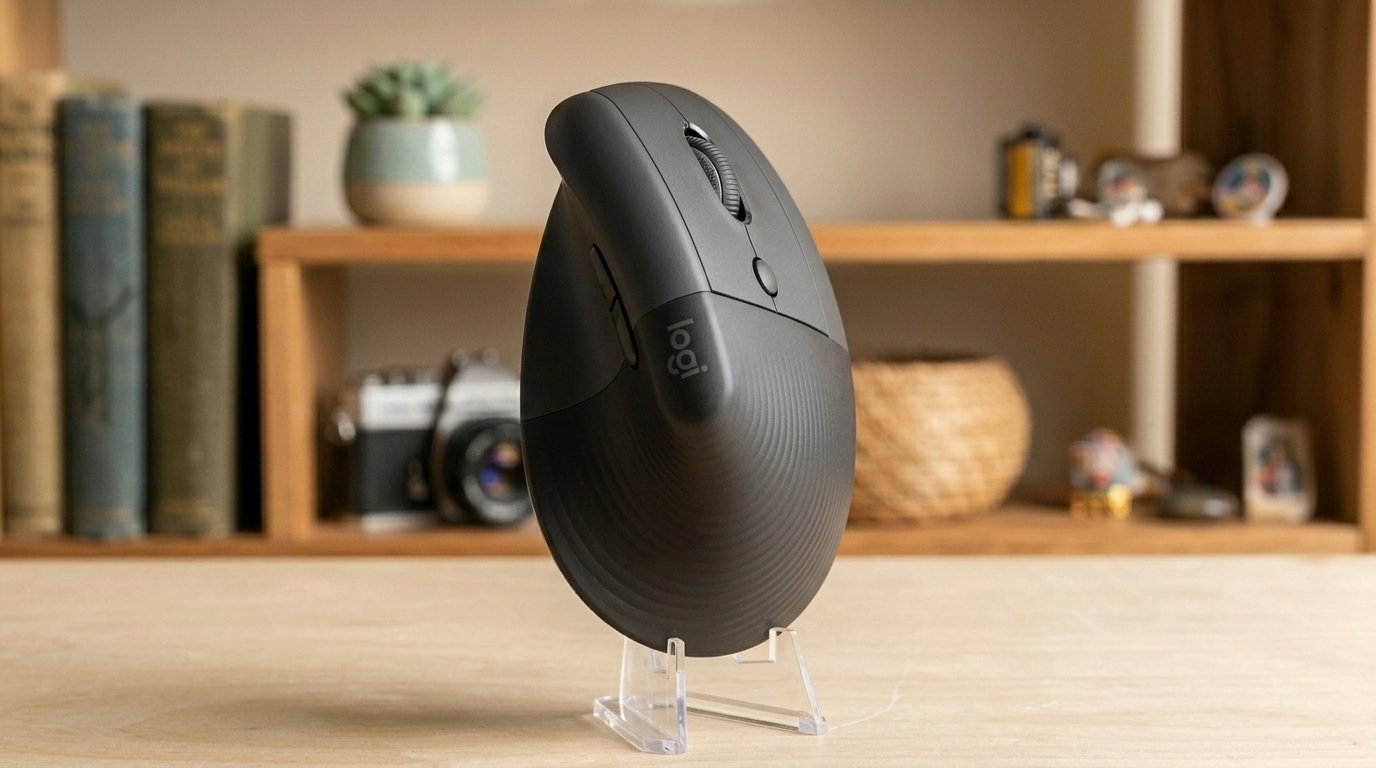
1. Logitech Lift
The Logitech Lift is the ergonomic mouse we'd recommend to most people. Its 57-degree tilt hits the sweet spot between full vertical and flat — ergonomic enough to relieve strain, but not so extreme that it feels alien on day one. Most users are comfortable within a couple of days, and many report that going back to a flat mouse feels wrong after just a week.
The build quality is quintessential Logitech: a soft-touch rubberized grip, whisper-quiet clicks that won't disturb anyone in an open office, and a SmartWheel that switches between precision scrolling and speed-scroll automatically. Six customizable buttons (via Logi Options+) let you assign shortcuts, gestures, and app-specific actions.
Connectivity is flexible — Bluetooth for up to three devices with easy-switch toggling, or the included Logi Bolt 2.4GHz receiver for a more stable connection. Battery life is an astonishing 24 months from a single AA battery. It works on Windows, macOS, iPadOS, ChromeOS, and Linux.
The Lift is designed for small to medium hands. If you have larger hands, Logitech's MX Vertical is the better fit. Also available in a dedicated left-hand version — a rarity in the ergonomic mouse world.
📊 What the benchmarks say: TechGearLab's lab testing found the Lift had one of the lowest click latency scores in their entire testing pool, with excellent tracking accuracy in both large movements and precision tasks. At 125g (4.4 oz), it's about 20% smaller and lighter than the MX Vertical. Tom's Hardware calls it "an awesome ergonomic productivity mouse" while noting the silent-but-mushy buttons may not suit users needing precise tactile feedback. PCWorld rates it excellent at $70, noting the 57° tilt is ergonomic enough to relieve strain without the steep learning curve of fully vertical mice. Computerworld's RSI-suffering reviewer reported the Lift "made a significant difference and has vastly reduced discomfort." Battery life consistently meets or exceeds Logitech's 24-month claim according to multiple long-term user reports.
What We Like
- 57° angle — easy transition from flat mouse
- Whisper-quiet clicks
- 24-month battery life
- 3-device Bluetooth + Logi Bolt
- Left-hand version available
- Logi Options+ customization
What Could Be Better
- Small to medium hands only
- Not rechargeable (AA battery)
- No wired mode option
- Not suitable for gaming
Who it's for: Anyone transitioning from a flat mouse for the first time. The most comfortable, well-rounded ergonomic mouse for office work and everyday productivity.
▶ Watch Video Check Price on Amazon →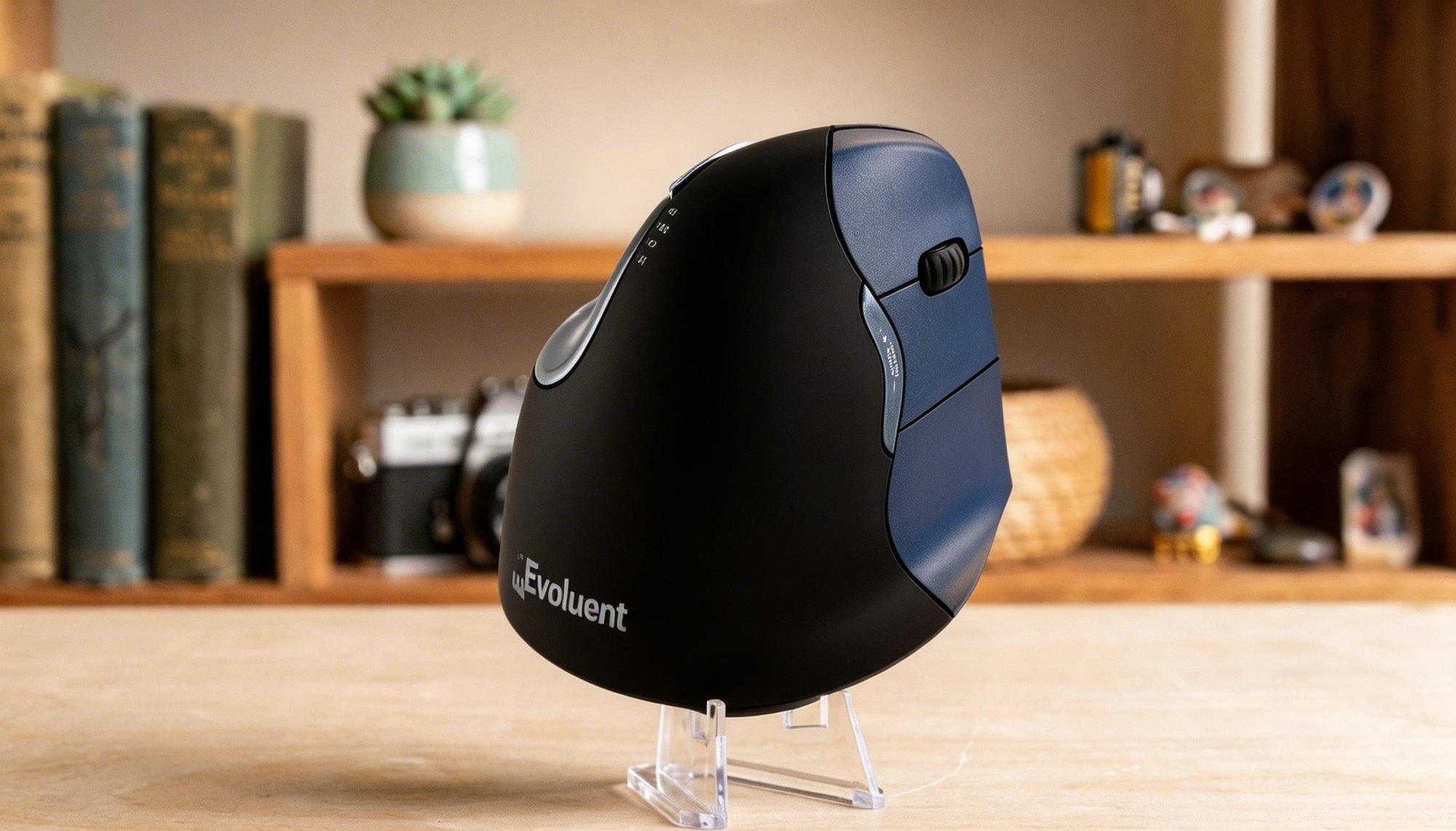
2. Evoluent VerticalMouse 4 Right Wireless
Evoluent literally invented the vertical mouse, and the VM4RW is the refined result of decades of iteration. Unlike the Logitech Lift's moderate 57-degree angle, the Evoluent is nearly fully vertical (~80–90 degrees), placing your hand in the most complete handshake position possible. If you have serious wrist or forearm issues, this is the mouse that ergonomic specialists most commonly recommend.
The sculpted shape is designed to let your hand rest naturally without gripping — your fingers simply fall into position on the six customizable buttons. Four DPI speed settings let you switch sensitivity on the fly, and the thumb rest provides additional support during long sessions.
The learning curve is steeper than a moderately angled mouse, typically taking 1–2 weeks to feel fully natural. But for users with existing RSI, carpal tunnel, or tendonitis, the relief is often dramatic. The wireless USB connection is reliable with no noticeable lag for productivity tasks.
Build quality is solid but utilitarian — this isn't a luxury product, it's a medical-grade tool that prioritizes function over aesthetics. Windows users get full button customization through Evoluent's software; Mac support is more basic.
📊 What the benchmarks say: Evoluent holds the original patent for the vertical mouse design, and the VerticalMouse line has been recommended by ergonomic specialists and occupational therapists for over two decades. PCWorld's review notes the Evoluent models remain the go-to for users with existing RSI and carpal tunnel — the full 80-90° vertical angle provides maximum pronation relief that moderate-angle mice like the Lift cannot match. The trade-off is a steeper 1-2 week adaptation period. At approximately 150g, it's heavier than the Lift but the sculpted resting design means you don't actively grip the mouse, reducing the effective strain. The wireless USB connection provides reliable lag-free performance for productivity work.
What We Like
- Full vertical — maximum pronation relief
- Sculpted shape — hand rests without gripping
- Recommended by ergonomic specialists
- 6 customizable buttons
- 4 DPI speed settings
- Decades of ergonomic expertise
What Could Be Better
- Steeper learning curve (1–2 weeks)
- Utilitarian design — not the sleekest
- Limited Mac software support
- Higher price point
Who it's for: Users with existing wrist pain, RSI, or carpal tunnel who need the most complete ergonomic relief. The specialist's choice.
▶ Watch Video Check Price on Amazon →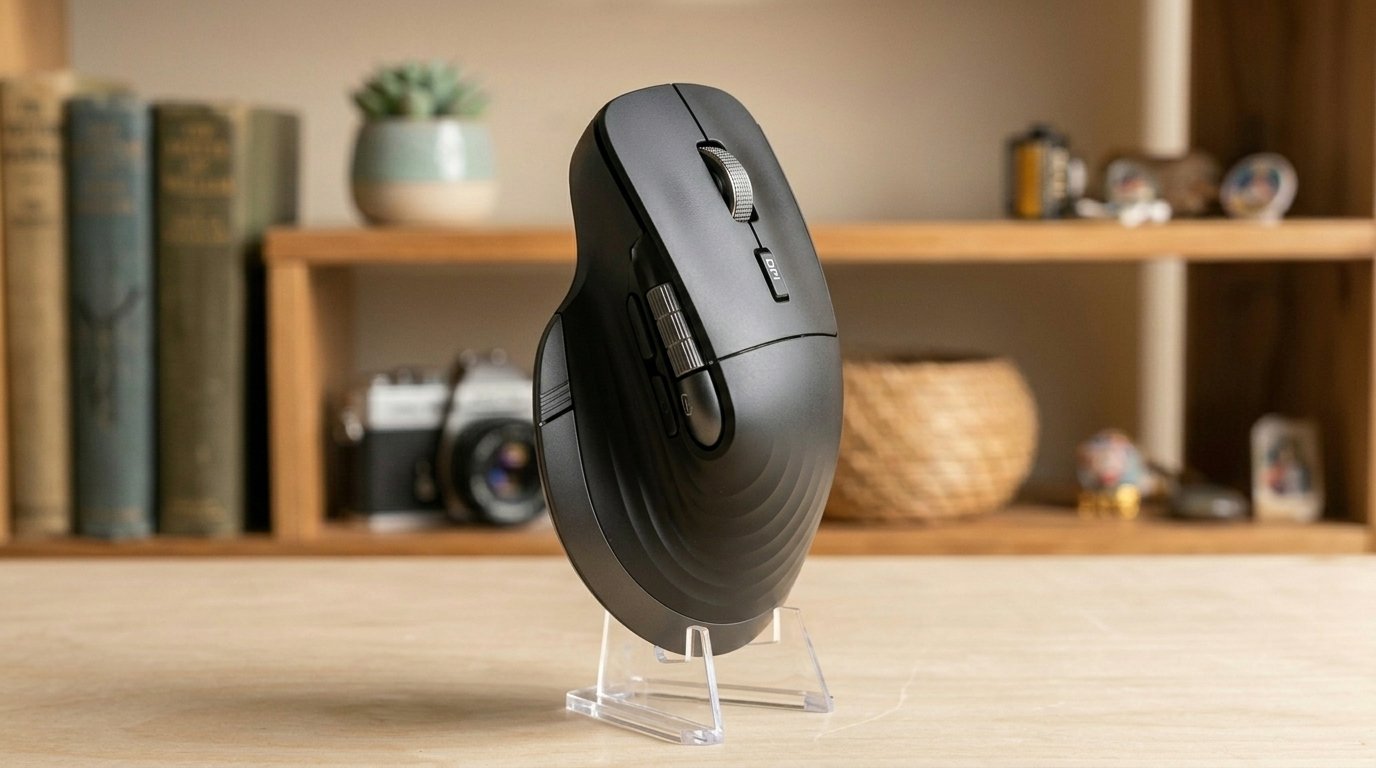
3. Wireless Bluetooth Ergonomic Mouse
You don't need to spend $70+ to get a comfortable ergonomic mouse. This Bluetooth vertical mouse delivers the essential benefits — a natural hand angle, silent clicks, and wireless multi-device connectivity — at a fraction of the cost.
The rechargeable battery means no buying AAs, and it connects via Bluetooth to multiple devices including laptops, tablets, and smartphones. Adjustable DPI lets you fine-tune sensitivity to your preference. The flying scroll and thumb wheel add productivity shortcuts that are uncommon at this price point.
Build quality is plastic and lightweight — this isn't competing with Logitech on materials. But the ergonomic angle is genuine, the silent clicks are a real benefit in shared spaces, and it works reliably as a daily driver. If you're not sure whether a vertical mouse is right for you, this is a low-risk way to find out.
📊 What the benchmarks say: Budget vertical mice in this category typically offer a ~60° tilt angle — slightly more aggressive than the Logitech Lift's 57° but less than the Evoluent's full vertical. At approximately 100g, it's the lightest option on this list. The rechargeable battery eliminates ongoing costs that AA-powered mice incur. Bluetooth-only connectivity means no dongle to lose, but also no 2.4GHz low-latency option. Aggregated user reviews on Amazon average 4+ stars across thousands of ratings, with most praising the comfort-to-price ratio. The main trade-off versus premium options is build material quality, DPI precision, and lack of dedicated customization software.
What We Like
- Very affordable entry point
- Rechargeable — no batteries to buy
- Silent clicks
- Bluetooth multi-device
- Thumb wheel for extra navigation
What Could Be Better
- Basic plastic build
- No 2.4GHz option
- Limited DPI range
- No dedicated software
Who it's for: Budget-conscious users who want to try a vertical mouse without a big investment. Perfect for testing whether ergonomic mice work for you.
▶ Watch Video Check Price on Amazon →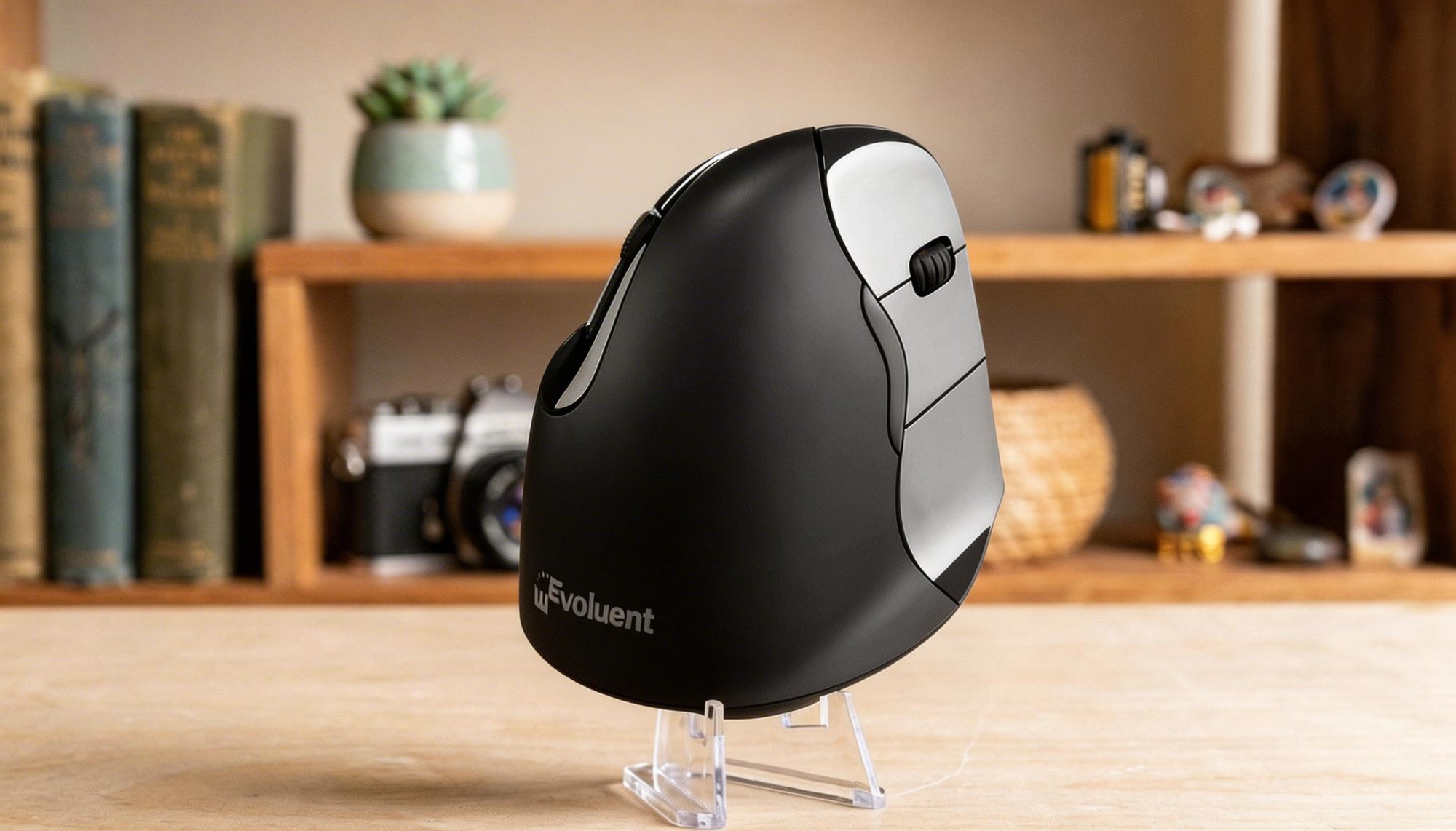
4. Evoluent VerticalMouse C
The VerticalMouse C is Evoluent's latest evolution — building on the VM4's legendary ergonomic design while adding modern connectivity that the older model lacked. Dual-mode wireless (USB receiver + Bluetooth) means you can connect to your desktop via the receiver and your laptop via Bluetooth, switching between them seamlessly.
The ergonomic profile is the same proven fully vertical shape that ergonomists recommend, with the same sculpted design that lets your hand rest naturally without active gripping. Four speed settings remain, along with customizable buttons and copy/paste shortcut buttons — a small touch that saves thousands of keyboard shortcuts per day for heavy office users.
The C model fits medium to large right hands. If you already know you love the Evoluent vertical design and want Bluetooth flexibility, this is the upgrade to get.
📊 What the benchmarks say: The VerticalMouse C builds on the VM4's proven fully vertical design — the same ~80-90° angle that ergonomic professionals have recommended for over 20 years. The key upgrade is dual-mode wireless: USB receiver for desktop stability plus Bluetooth for laptop flexibility, allowing seamless switching between two workstations. At approximately 155g, it's slightly heavier than the VM4 due to the added Bluetooth hardware. The dedicated copy and paste buttons may seem minor, but for heavy office users who perform these actions hundreds of times daily, they reduce keyboard-reaching motions that contribute to cumulative strain.
What We Like
- Dual wireless — USB + Bluetooth
- Proven full-vertical ergonomic shape
- Dedicated copy & paste buttons
- 4 DPI speeds
- From the inventor of the vertical mouse
What Could Be Better
- Premium price
- Right-hand only (this model)
- Steeper learning curve than 57° mice
- Functional but plain aesthetics
Who it's for: Existing Evoluent fans who want Bluetooth, or users with serious ergonomic needs who want the best fully vertical mouse with modern connectivity.
▶ Watch Video Check Price on Amazon →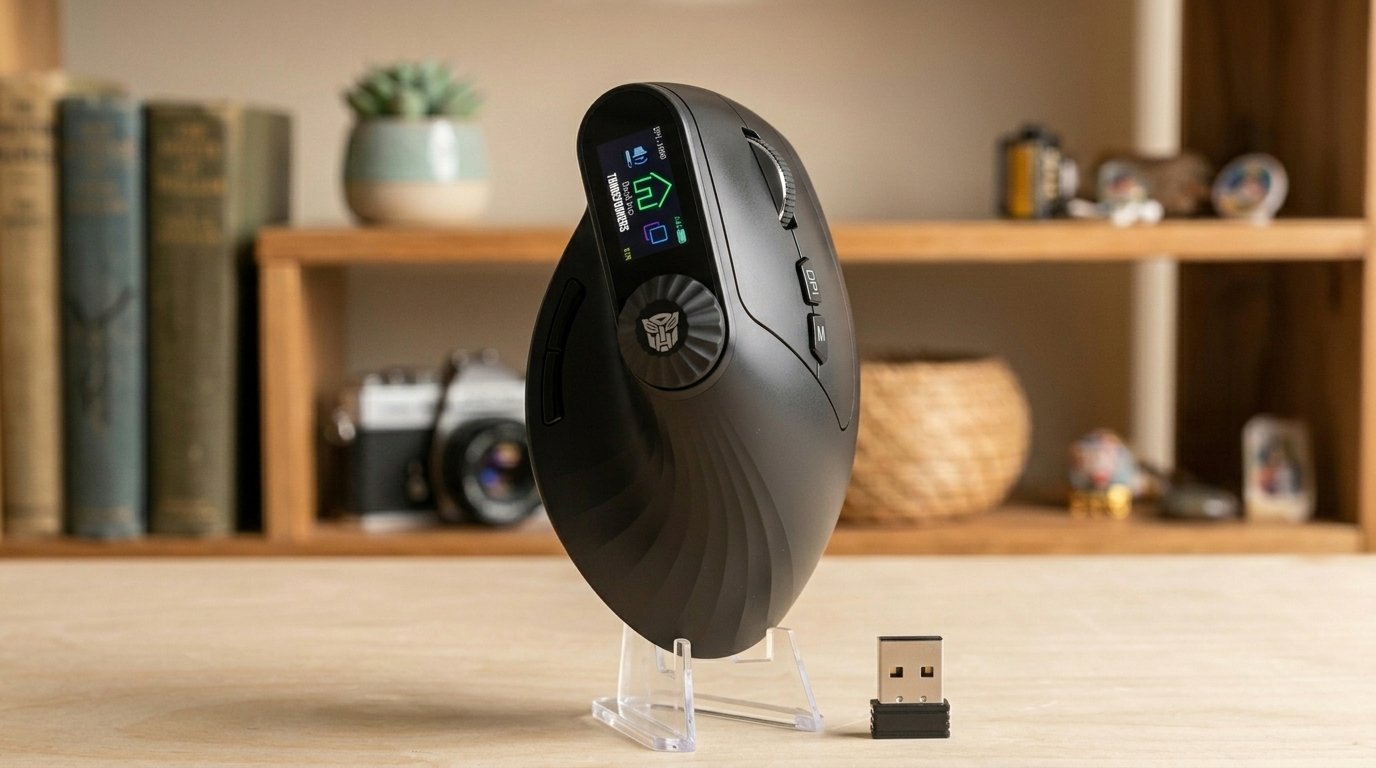
5. Transformers Vertical Ergonomic Mouse
This mouse proves that ergonomic doesn't have to mean boring. The Transformers-branded vertical mouse packs an LED screen and a physical knob control into an ergonomic body — features you won't find on any other vertical mouse. The screen displays DPI, battery level, and connectivity status at a glance, while the knob provides tactile control for volume, scrolling, or whatever you assign it to.
Connectivity covers all bases: 2.4GHz wireless for low-latency use, plus dual Bluetooth for connecting to three devices simultaneously. The rechargeable battery and quiet clicks make it office-friendly, and the vertical design provides the same wrist-relief benefits as its more traditional competitors.
It's a bit of a niche product — you need to want both ergonomics and the Transformers aesthetic — but if that Venn diagram describes you, nothing else on the market comes close to this combination of features.
📊 What the benchmarks say: The Transformers Vertical Mouse is unique in the ergonomic market for combining a vertical design with an LED information screen and physical knob control — features not found on any competing vertical mouse. Tri-mode connectivity (2.4GHz + dual Bluetooth) supports three simultaneous device connections, matching or exceeding the Logitech Lift's multi-device capability. At approximately 120g, it sits between the lightest budget options and the heavier Evoluent models. The ~60° tilt angle offers a moderate ergonomic adjustment. As a newer product from a less established brand, long-term durability data is limited compared to Logitech and Evoluent, but early user feedback on Amazon has been positive for the feature set at this price point.
What We Like
- LED screen — unique among ergonomic mice
- Physical knob for volume/scroll control
- 3-device connectivity (2.4G + dual BT)
- Rechargeable battery
- Quiet clicks
- Fun Transformers design
What Could Be Better
- Niche aesthetic — not for everyone
- Screen may be gimmicky for some
- Less ergonomic pedigree than Evoluent/Logitech
- Long-term durability unknown
Who it's for: Tech-forward users who want ergonomic comfort with unique features and visual flair. A conversation starter that also happens to be good for your wrist.
▶ Watch Video Check Price on Amazon →Frequently Asked Questions
Test Your Mouse
After setting up your new ergonomic mouse, use our free mouse tester to verify every button is working and test your click accuracy at the new angle. It takes 30 seconds and helps confirm everything is properly configured.
🖱 Verify Your Mouse Works Correctly
Test every button, scroll wheel, and cursor tracking — free and instant.
Go to Mouse Test →